
AI-powered recipe generation
Pick a product or a few ingredients and Recipe Kit writes a full recipe draft in about a minute: title, description, ingredients with measurements, directions, prep and cook times, servings, estimated calories, chef's tips and SEO keywords. You review and edit it before anything goes live, and the recipe gets its own blog post when you create it.
AI drafting is part of the Growth plan, and Enterprise includes it too. Free and Essentials get three free drafts every 30 days, counted from your first draft.
Drafting a recipe
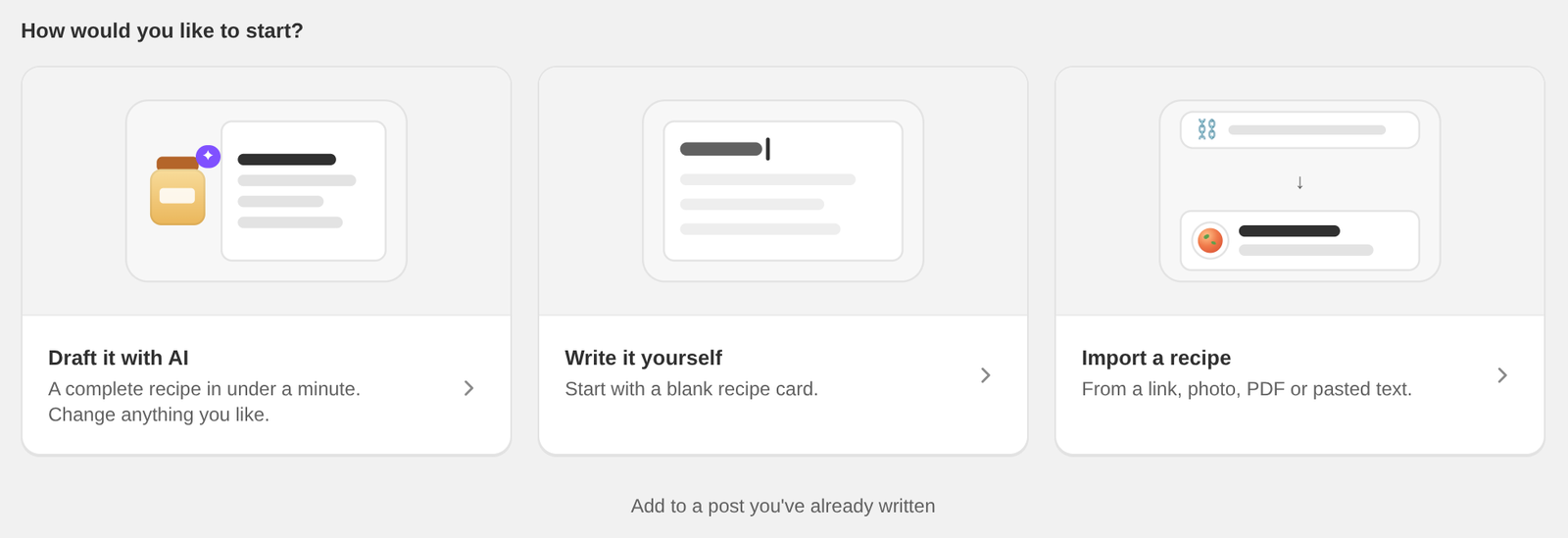
- Open Recipe Kit and click New recipe.
- Choose Draft it with AI. The Create with AI page opens.
- Fill in the form and click Generate recipe. It usually takes about a minute.
- Read the draft. Click Generate again for a different take, or Use recipe to open it in the recipe editor.
- Edit anything you like. To give the blog post its own title, intro or image, open the Blog post tab.
- Click Create. Recipe Kit saves the recipe and makes its blog post.
What you can set
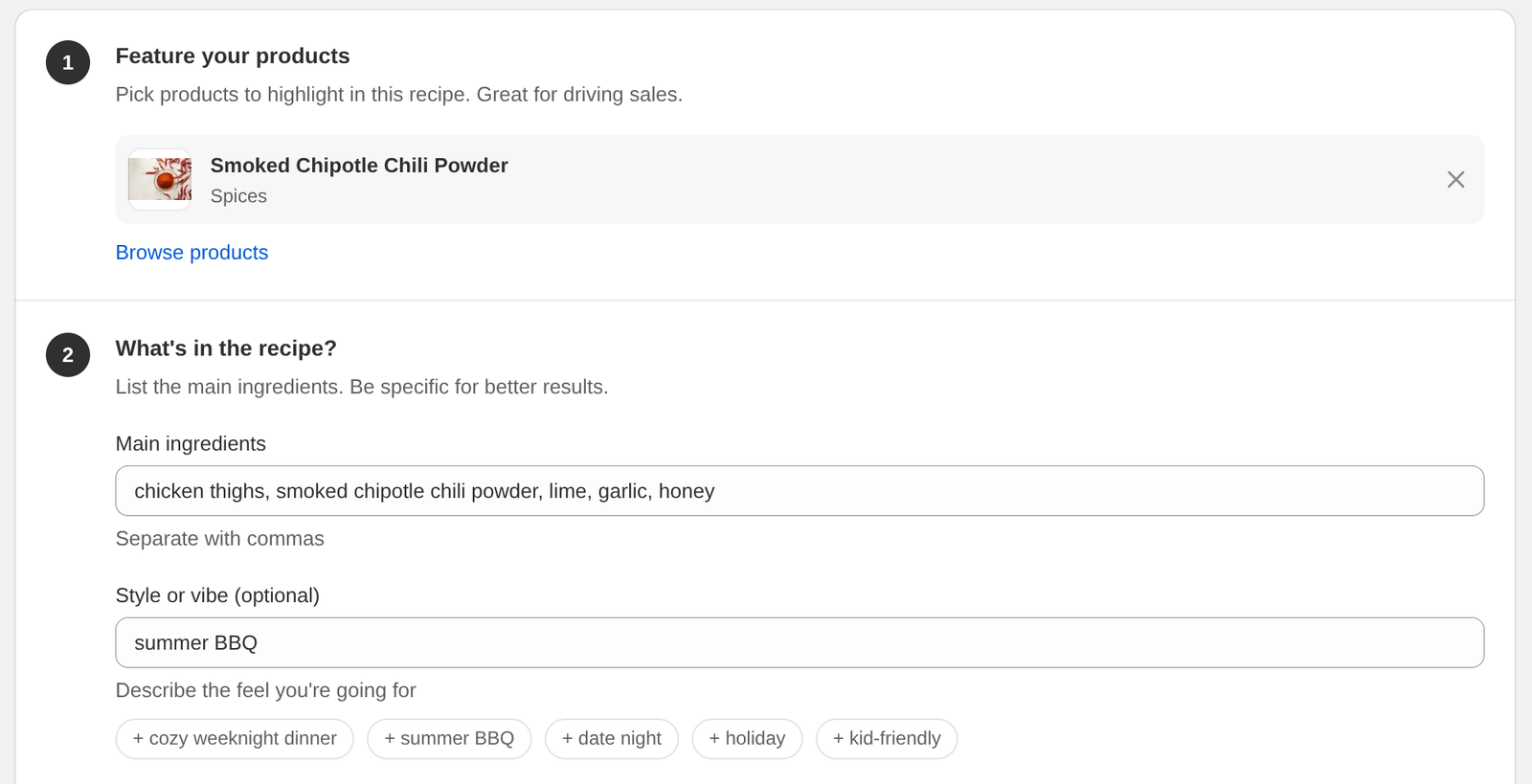
Feature your products. Click Browse products and pick one or more from your store. The recipe is built around them using their exact names, and each product is linked to the ingredient that uses it, so the recipe is shoppable from the start.
Main ingredients. List what the recipe should use, separated with commas. The more specific you are, the better the result.
Style or vibe. Optional. Something like "cozy weeknight dinner" or "summer BBQ". Click a suggestion under the field to add it.
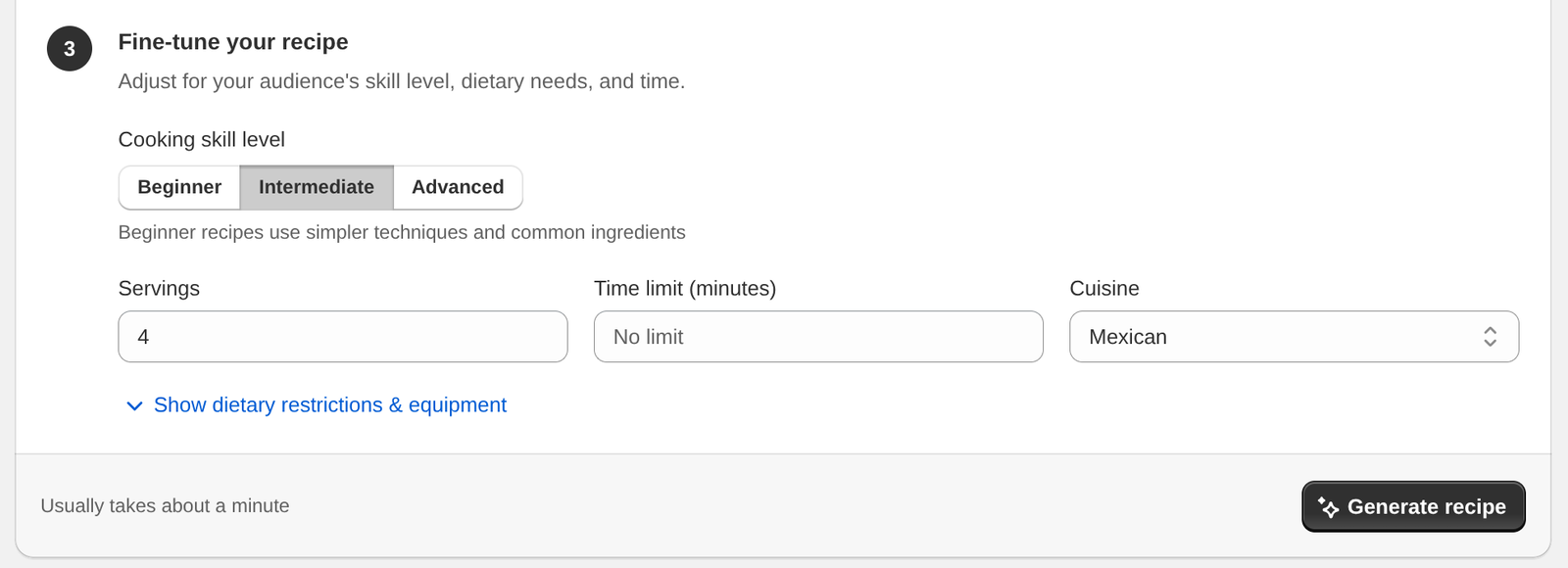
Cooking skill level. Beginner, Intermediate or Advanced. Beginner recipes stick to simpler techniques and common ingredients.
Servings and time limit. Optional. Servings can be 1 to 50. The time limit is in minutes, from 5 to 480.
Cuisine. American, Italian, Mexican, Chinese, Japanese, Indian, Thai, Mediterranean, French, Korean, or Any.
Dietary restrictions. Vegetarian, vegan, gluten-free, dairy-free, nut-free, low-carb, keto or paleo.
Equipment to feature. Instant Pot, air fryer, slow cooker, grill, cast iron skillet, Dutch oven, stand mixer or food processor. Dietary restrictions and equipment are behind Show dietary restrictions & equipment.
The recipe comes back in the language you write the form in.
Reviewing the draft
The draft shows the title, description, servings, prep and cook times, estimated calories, ingredients and directions.
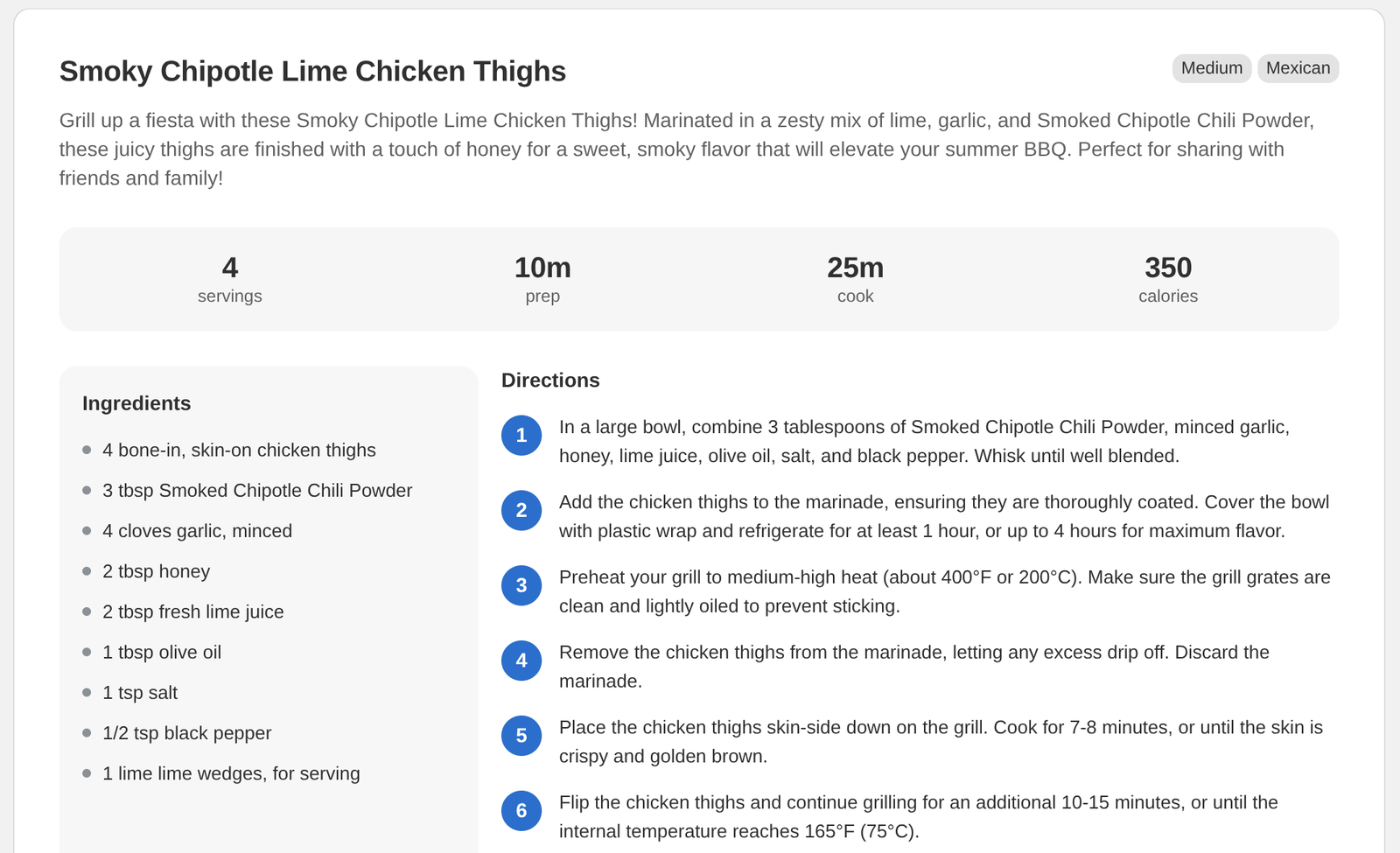
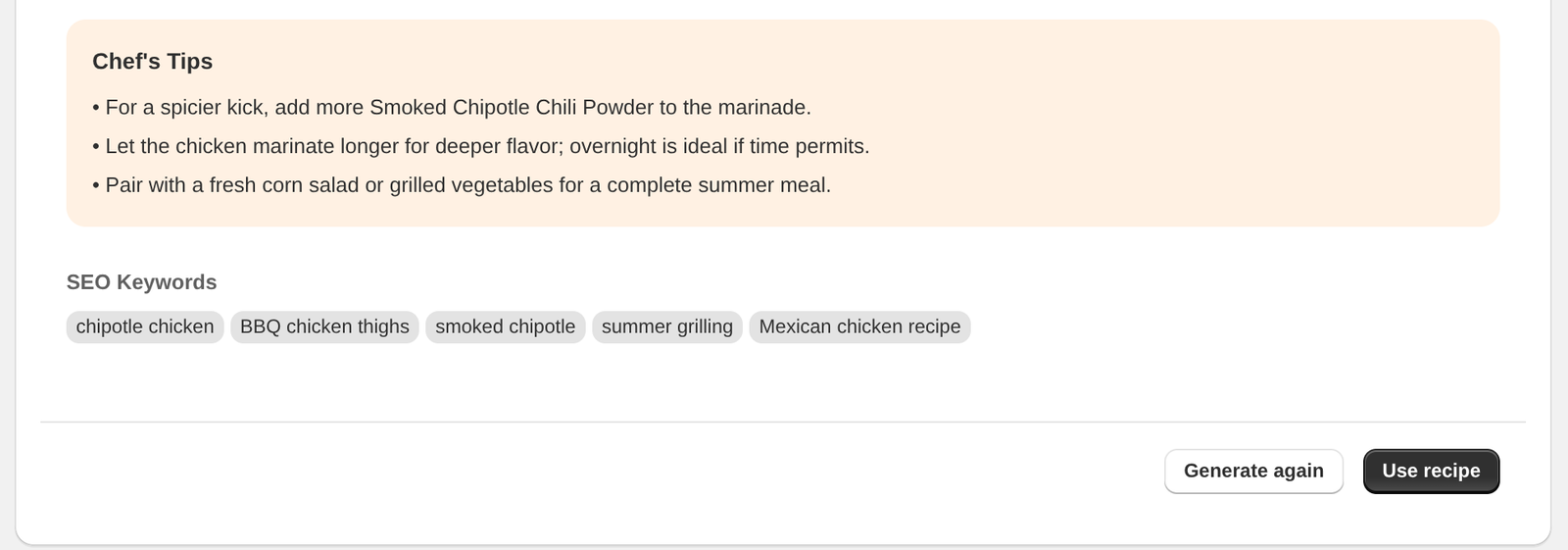
Chef's tips and SEO keywords come last. Generate again writes a new version from the same form. Use recipe opens the draft in the recipe editor, with the tips in Notes and the keywords in Keywords. Nothing is saved to your store until you click Create there. New recipes start as Published, so choose Hidden under Set visibility first if you want to check it before it goes live.
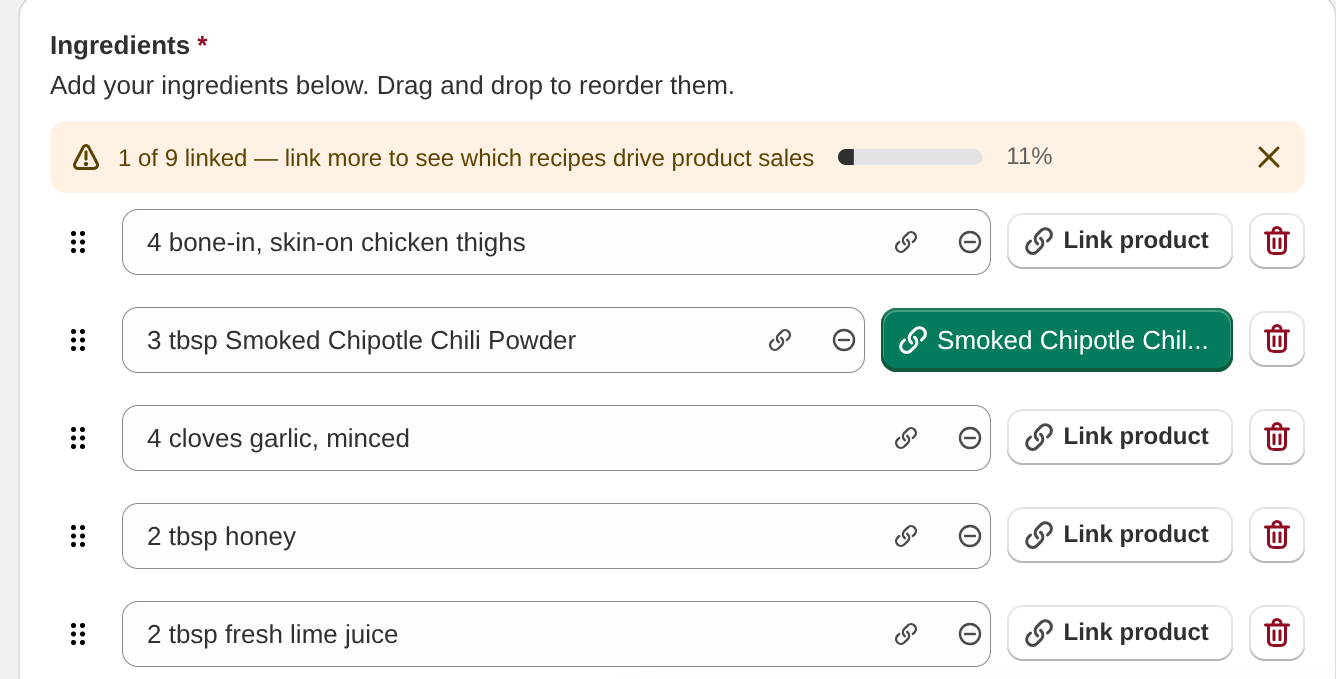
Products you picked arrive already linked to the ingredient that uses them. Link the rest with Link product.
When you click Create, the recipe gets its own blog post. Creating recipes covers the Blog post tab and putting the recipe on a post you already wrote instead.
Free drafts on Free and Essentials
Stores on Free or Essentials get three AI drafts every 30 days. The 30 days start with your first draft. Every Generate recipe and Generate again uses one, and drafts made while setting up Recipe Kit count toward the same three.
The Draft it with AI card on the New recipe page shows how many you have left, and the Create with AI page says how many free AI drafts are left, with a See Growth button. Once they are used, the card shows a lock and moves to the end of the row, and Create with AI shows Upgrade Required with an Upgrade Plan button. Growth and Enterprise draft as many recipes as you like.
Drafting is not importing
The two are easy to mix up:
- Draft it with AI writes a new recipe. Included on Growth and Enterprise, with three free drafts every 30 days on Free and Essentials.
- Import a recipe brings in one you already have, from a link, photo, PDF or pasted text. Every plan can import. Free includes 5 imports, Essentials 30 a month, Growth 250 a month, and Enterprise has no limit.
Both are on the New recipe page, both open the recipe editor, and both give the recipe its own blog post when you click Create.
If you're moving recipes over from a blog or another app, you want import. See Bulk recipe import and export for the spreadsheet route.
Getting better results
Be specific. "Thai green curry with crispy tofu, weeknight friendly" gets you something usable. "Asian food" doesn't.
Pick your products. A recipe built around something you sell links straight to it, and that's where the sales come from.
Treat it as a draft. Check the quantities and the method before you publish. AI writes recipes that sound right, not recipes anyone has tested, and a recipe that doesn't work hurts your store more than no recipe at all.
Add your own photo. Drafts are text only, and Google won't show a recipe without a photo as a rich result.
What it doesn't do
- No photos. Add your own in the recipe editor.
- Calories are an estimate. For full nutrition facts, use the nutrition analysis in the recipe editor, which has its own monthly allowance. See Nutrition information.
Plan requirements
| Feature | Free | Essentials | Growth | Enterprise |
|---|---|---|---|---|
| Draft it with AI | 3 free drafts every 30 days | 3 free drafts every 30 days | Yes | Yes |
| Import a recipe (link, photo, PDF, text) | Yes | Yes | Yes | Yes |
See Subscription plans for everything each plan includes, or compare plans on the Recipe Kit app listing.
What's next
- Recipe ingredients covers tidying up the ingredients a draft gives you.
- Linking products to recipes covers linking more ingredients to your products.
- Recipe images, sizes and alt text covers adding your own photo.