
Nutrition information
Nutrition facts help health-conscious readers and give Google more to show in your search result. Recipe Kit can work them out from your ingredients, or you can enter them yourself.
Nutrition is available on every plan. The number of automatic analyses per month depends on your plan, as shown below. Compare plans on the Recipe Kit app listing.
Let Recipe Kit calculate it
Add your ingredients first. There is nothing to calculate from an empty list.
- Open the recipe in Recipe Kit.
- In the Nutrition card, find the Auto-Generate Nutrition box and click Analyze.
- Check the values that come back, then click Save.
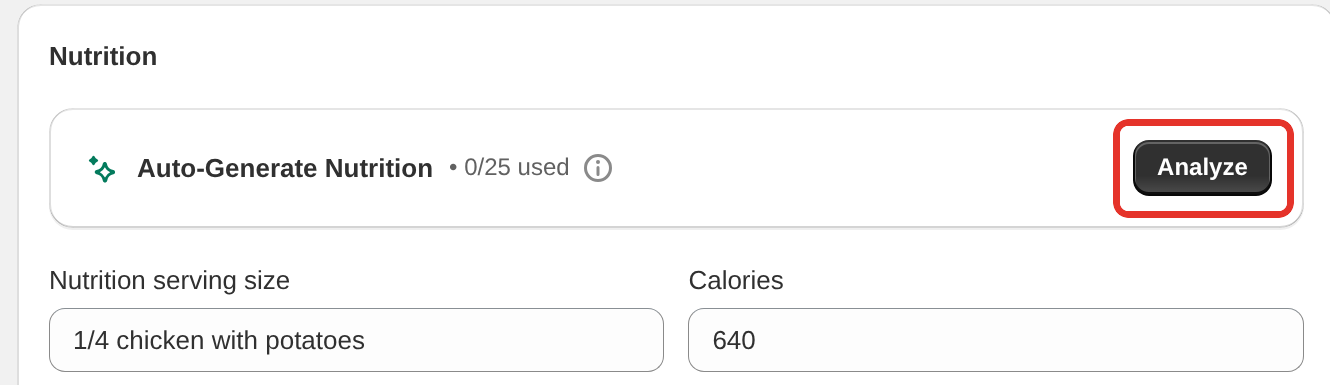
Recipe Kit reads your ingredient list, works out the nutrition per serving and fills in the fields. When it is done the box reads Nutrition Generated. Click Details to see what each ingredient contributed.
If some lines could not be read, a Some ingredients couldn't be analyzed message lists them. Rewrite those lines more plainly, such as "200g chicken breast" instead of "a couple of chicken breasts", and click Re-analyze.
If the recipe already has nutrition values, Recipe Kit asks Replace existing nutrition data? first. Click Yes, Replace to go ahead.
Monthly allowance
The box shows how many analyses you have used this month, such as "2/3 used". The count resets on the 1st of each month.
| Plan | Analyses per month |
|---|---|
| Free | 3 |
| Essentials | 3 |
| Growth | 25 |
| Enterprise | Unlimited |
Treat it as a starting point
The figures come from ingredient databases and standard portion sizes. They are good enough for a food blog, and they are not a substitute for lab analysis. If you make a nutrition claim on a product you sell, have it tested properly.
Enter it yourself
All values are per serving.
- Open the recipe in Recipe Kit.
- In the Nutrition card, type the calories in Calories.
- Pick a nutrient from the Add nutrition field list. A row appears for it.
- Type the amount. You can also fill in the Daily Value percentage beside it.
- Repeat for each nutrient, then click Save.
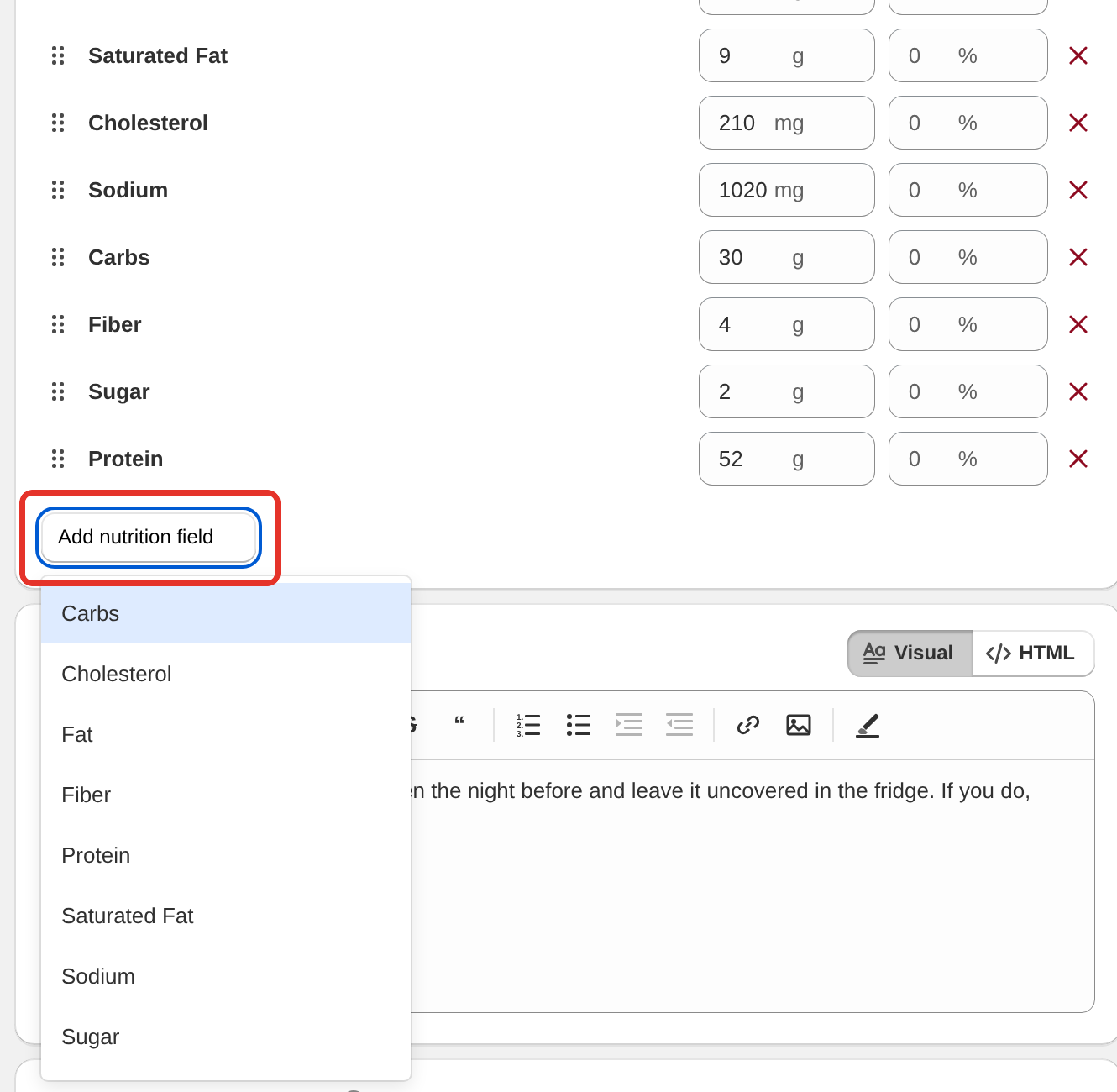
The list has Carbs, Cholesterol, Fat, Fiber, Protein, Saturated Fat, Sodium, Sugar, Trans Fat, Unsaturated Fat, Iron, Potassium, Polyunsaturated Fat and Monounsaturated Fat. The editor shows the unit beside each amount.
For anything else, pick Free Field (G), Free Field (Mg) or Free Field (mcg) and type your own name for it.
Drag rows to change their order on the card. You do not have to fill everything in. Nutrients you leave out do not show.
Nutrition serving size
If the figures are for something other than the recipe's servings, say so in Nutrition serving size. A recipe that makes 24 cookies with figures per cookie would read "1 cookie (30g)".
Choose the label layout
Each recipe has its own Nutrition label layout in the Nutrition card:
| Layout | Looks like |
|---|---|
| Minimal Text | A single line of values |
| Horizontal | Values laid out across the card. The default |
| Vertical (US Standard Label) | A stacked panel, close to a US packaging label |
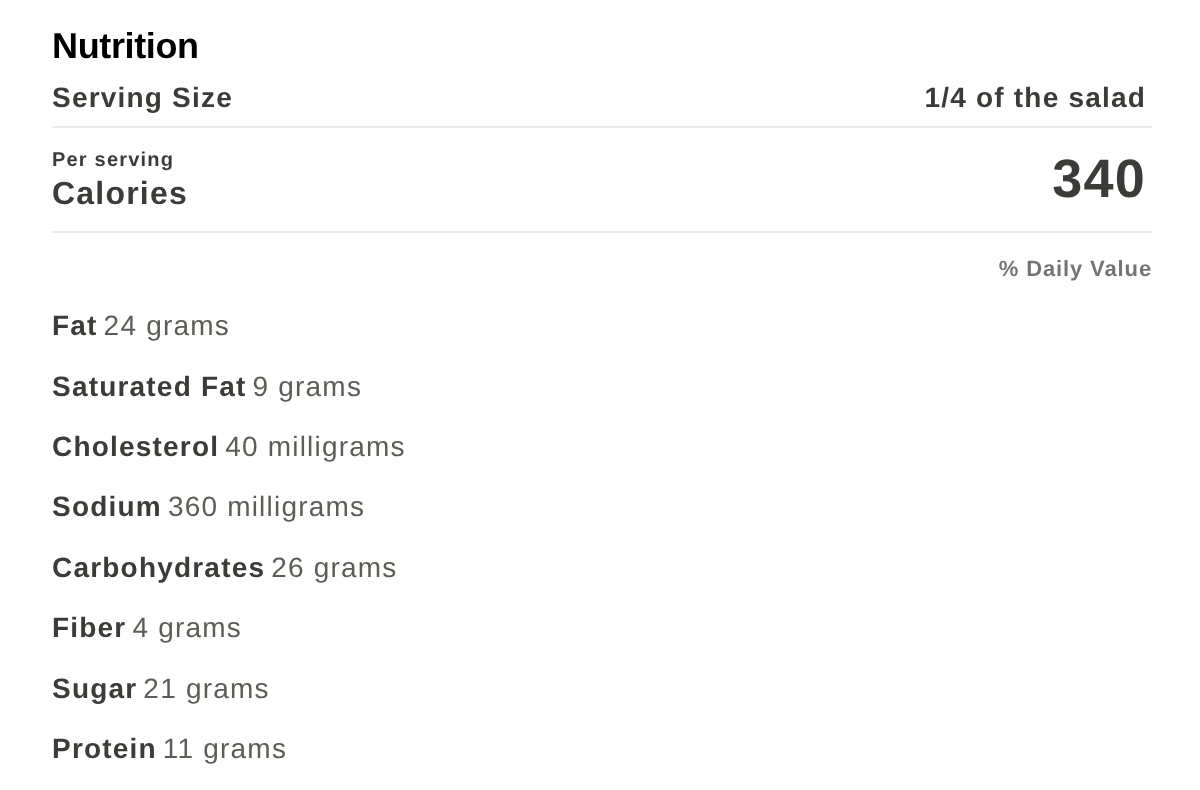
Which values are worth filling in
At least calories, protein, carbs, fat and sodium. Those cover most of what readers look for and what Google shows.
Add fiber and sugar if your readers watch carbohydrates, and the fat breakdown if you write heart-healthy recipes.
Rename or translate the labels
You can rename or translate every nutrition label and unit in Settings > Translations & Labels, including "per serving" and the daily value header. See Changing the text on your recipe card.
What it does for SEO
Nutrition goes into the Google recipe schema Recipe Kit generates. Calories often show in recipe search results, and a complete recipe has a better chance in the recipe carousel than a sparse one.
What's next
- Google recipe schema covers what Google does with your nutrition data.
- Recipe ingredients covers the list the analysis reads.
- Changing the text on your recipe card covers renaming the labels.