
Linking products to recipes
Link a recipe's ingredients and equipment to products in your store, so readers can buy what the recipe needs and you can see which recipes lead to sales.
Linking is free on every plan. On Free and Essentials, a linked ingredient becomes a link to the product's page. The Add to Cart button and sales tracking per recipe are part of the Growth plan. Compare plans on the Recipe Kit app listing.
Link an ingredient to a product
- Open the recipe in Recipe Kit.
- In the Ingredients section, click Link product beside an ingredient.
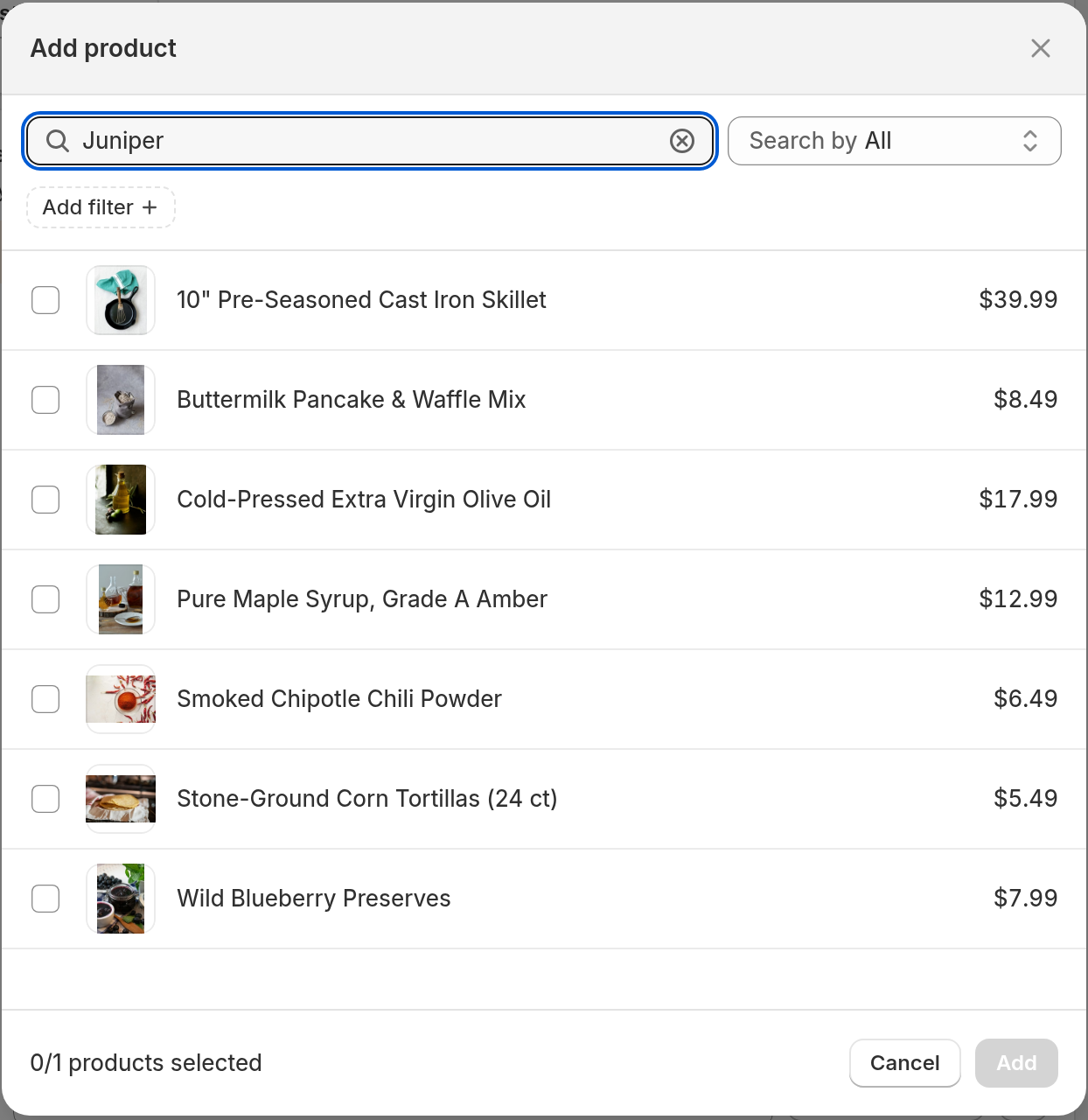
- Search for the product in Shopify's product picker.
- Tick the product. To offer only some of its variants, expand it and tick just those variants.
- Click Add, then repeat for the other ingredients you sell.
- Click Save.
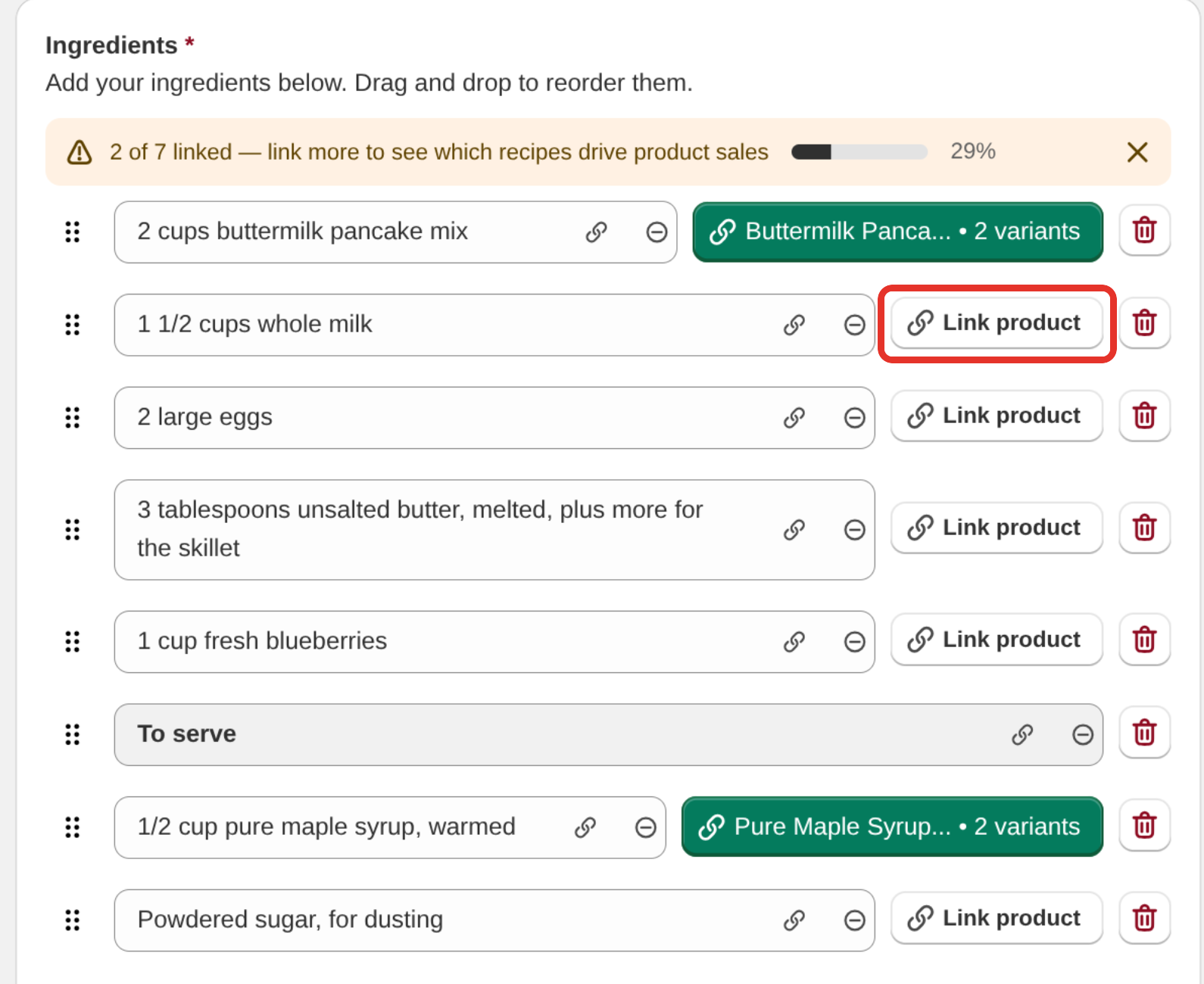
A linked ingredient shows a green button with the product's name in place of Link product. If you linked some variants, the button also shows the variant name or how many variants you picked. Hover over it to see the full product name.
Equipment works the same way. Each row in the Equipment section has its own Link product button.
Track how much of a recipe is linked
A banner at the top of the Ingredients section counts the linked ingredients, for example "3 of 8 linked", with a progress bar. When every ingredient is linked it reads "All 8 ingredients linked to products". Group headings and empty rows are not counted. You can close the banner for the rest of your editing session.
How links work
- One recipe, many products. Link as many ingredients as you sell. Each gets its own button on the recipe card.
- One product, many recipes. A staple like olive oil can be linked from every recipe that uses it.
- The ingredient text stays yours. Linking does not change what the ingredient says.
Change or remove a link
- Open the recipe in Recipe Kit.
- Click the green product button. This removes the link and the ingredient stays as plain text.
- To link a different product, click Link product and pick the new one.
- Click Save.
When a linked product is hidden or deleted
The editor checks every linked product against your Shopify store. If a product can no longer be bought on your online store, its button stops being green:
- Amber, with a warning triangle. The product exists but is not available on your online store. It is a draft, archived, or not published to the Online Store sales channel.
- Red, with an alert icon. The product was deleted from Shopify, so the link is broken.
Hover over the button to read which problem it has.
To fix it, do one of these:
- Bring the product back. Set it to active in Shopify and publish it to the Online Store sales channel. The warning can take up to 10 minutes to clear.
- Link a different product. Click the flagged button to remove the link, click Link product, pick the replacement, then click Save.
- Remove the link. Click the flagged button and click Save. The ingredient stays in the recipe as plain text.
If you discontinued a product that many recipes use, fix it everywhere at once:
- Open Recipe Kit and go to Tools, then Ingredients & products.
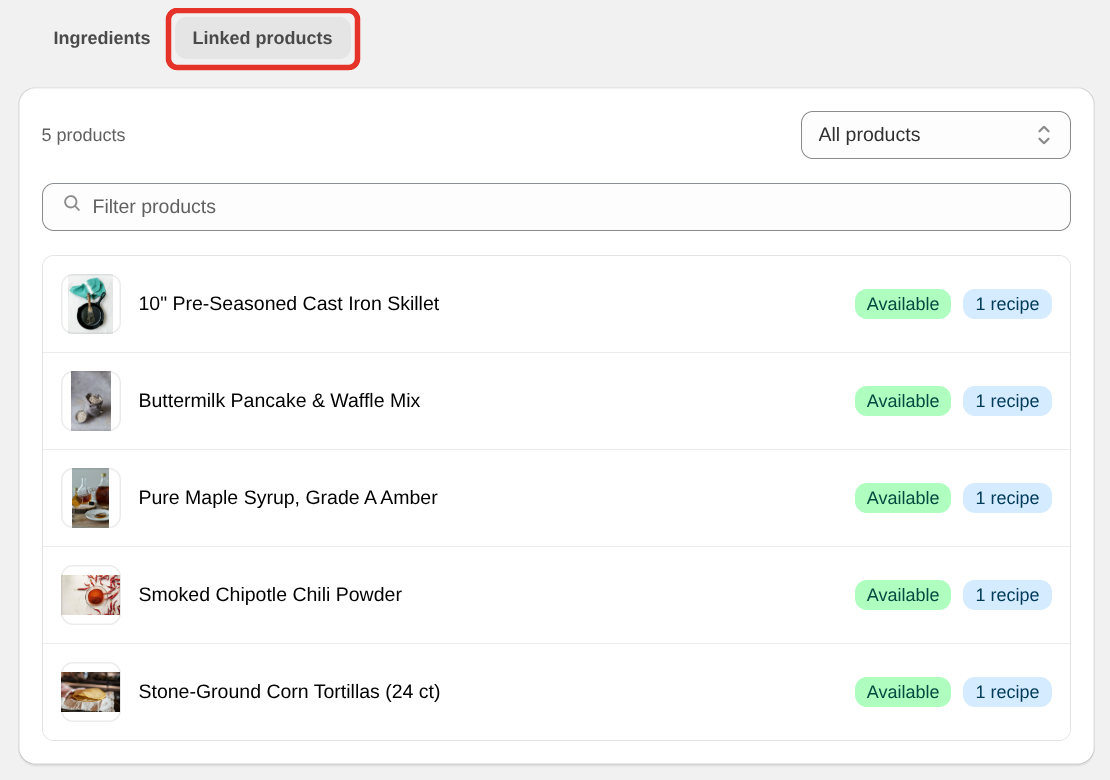
- Click the Linked products tab. It lists every linked product with its availability.
- Select the product to see which recipes use it, then replace it with another product or remove the link from all of them.
To change the ingredient's wording at the same time, say from "John's Red Wine" to "any red wine", use the Ingredients tab instead: it renames the line and removes or changes the link in one step. See The Tools page for how.
Get the most from links
- Match the size. If the recipe needs 200 g and you sell 5 kg sacks, say so in the ingredient text.
- Pick the variants. On the recipe card, readers choose from the variants you linked. Add All to Cart adds the first in-stock variant of each product, so link the variant that suits the recipe.
- Link everything you stock. A recipe with two of eight ingredients linked looks unfinished, and a product you no longer stock sends readers to a dead end.
Show a recipe on a product page
Linking a product does not put the recipe card on that product's page. You have two options:
- A full recipe card. Add the Recipe Kit block to your product template and enter the recipe's Recipe ID. See the Installation guide.
- A list of every recipe that uses the product. Add a Recipe List block to your product template and set its Source to Auto (smart) or Recipes using this product. See Add a recipe list to any page.
What's next
- Add to cart button covers the cart buttons, quantity selector and plan details.
- Recipe ingredients covers writing the ingredient list.
- The Tools page covers fixing a product link across every recipe.