
Analytics dashboard
The Analytics page shows what shoppers do with your recipes: how often they view them, add products to the cart, print them and share them.
Recipe analytics are available on every plan, including Free. Revenue, conversion, traffic breakdowns and history older than 30 days need the Growth plan. Compare plans on the Recipe Kit app listing.
What every plan sees, and what Growth adds
Every plan sees:
- Views, how many times shoppers viewed your recipes
- Add to carts, how many times shoppers added a product to their cart from a recipe
- Prints and Shares for each recipe
- Ratings for each recipe in the recipes table
- The last 30 days of history
Growth adds:
- Revenue, sales of products shoppers bought from your recipes
- Conversion, the share of recipe views that led to an add to cart
- Revenue and revenue per view for each recipe
- Where shoppers came from, which countries they visit from, where recipes get shared and how shoppers cook
- Every date range, back to the start of your data
There is nothing to switch on for the engagement numbers. The Recipe Kit app block on your theme records views, add to carts, prints and shares for every store. Revenue needs one extra step on Growth. See Turn on sales tracking below.
Open your analytics
- Open Recipe Kit and go to Analytics. The page is called Recipe Analytics and opens on the Last 7 days.
- To look at a different stretch of time, click the date range button beside the page title.
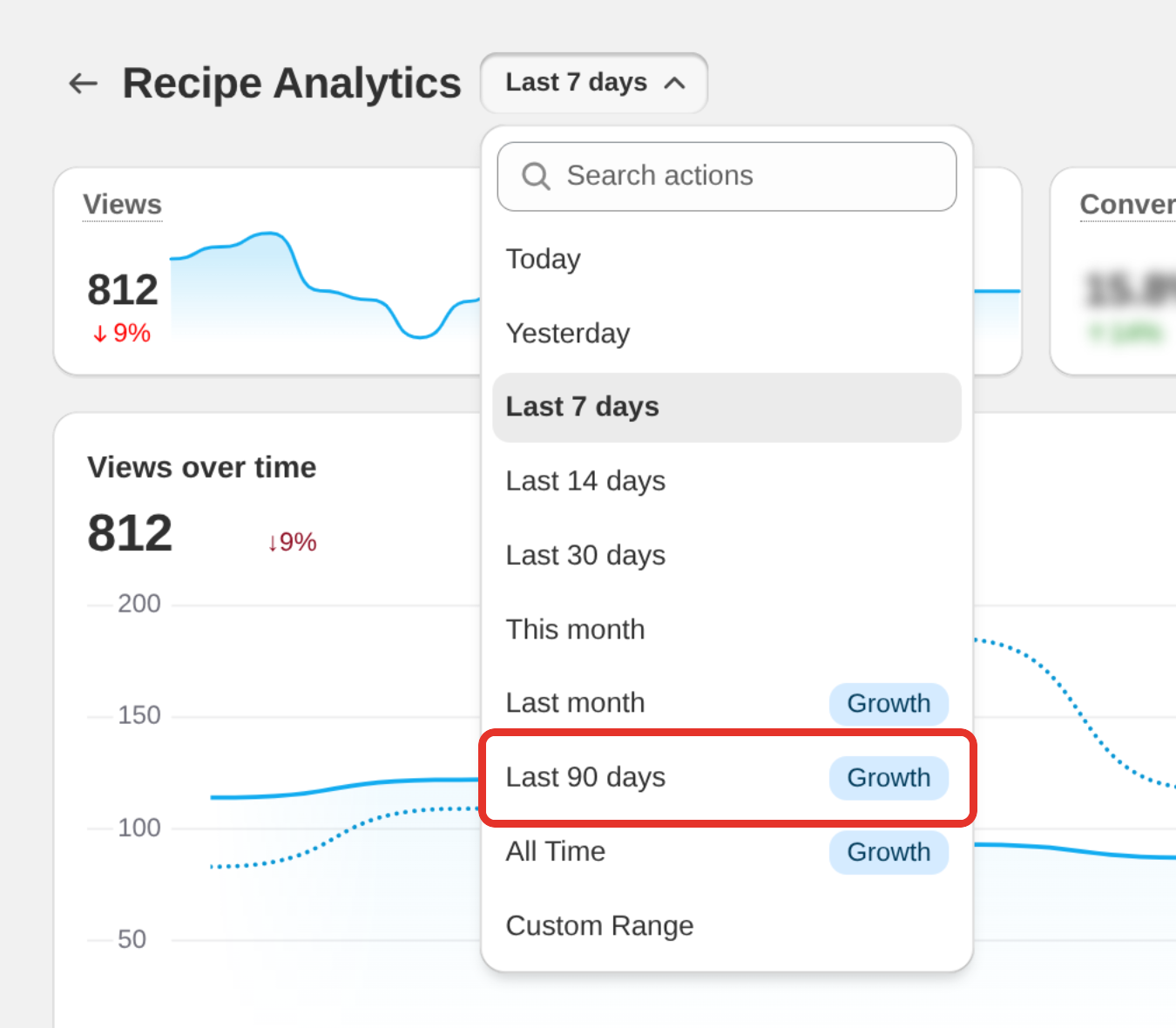
- Pick Today, Yesterday, Last 7 days, Last 14 days, Last 30 days, This month, Last month, Last 90 days, All Time or Custom Range.
Below Growth, Last month, Last 90 days and All Time carry a Growth badge, and the custom range calendar stops 30 days back. Picking a locked range opens See your full history instead. Recipe Kit keeps everything it records for your store, so the older numbers are there when you upgrade.
Read the page
Totals
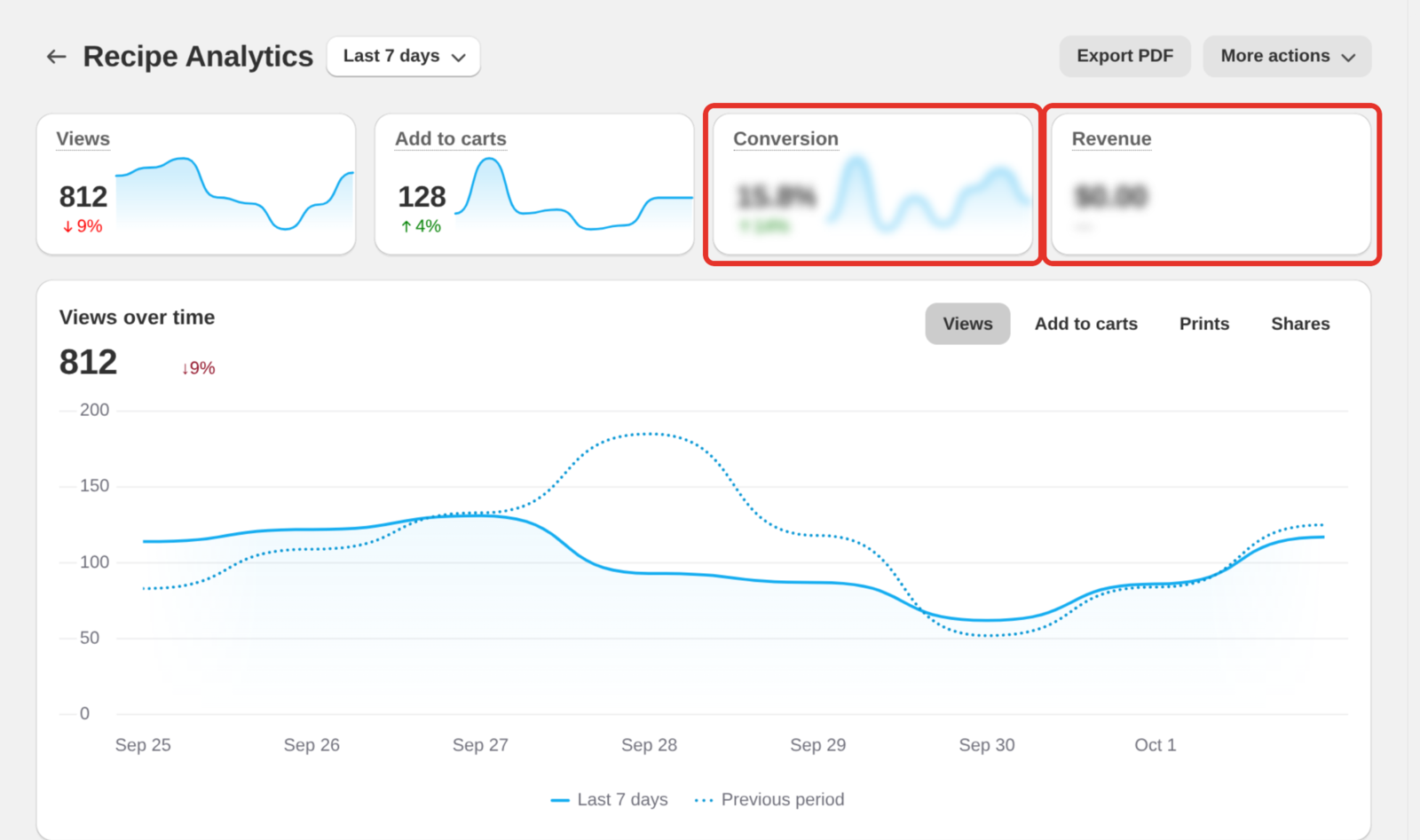
The tiles at the top show Views, Add to carts, Conversion and Revenue for the date range. Each one shows the change against the previous period of the same length, so Last 7 days compares with the 7 days before it. There is no comparison for Today or All Time.
On Growth, once your store has sales from recipes, Revenue moves to the first tile. If any of your QR codes were scanned in the period, a QR scans tile appears as well. See QR codes for your recipes.
Below Growth, Conversion and Revenue are blurred. Click either one to see the plans.
Over time
The chart shows one number across the date range, with the previous period as a dashed line. Switch what it shows with the buttons in its corner: Views, Add to carts, Prints, Shares, and on Growth Revenue. The heading follows your choice, for example Views over time.
Breakdowns (Growth)
Four cards under the chart:
- Where shoppers came from. Views grouped into Search, Social, Direct, Email, AI assistants and Other sites, with the biggest site in each group named under it.
- Views by country. The top countries your recipe views come from. Countries are recorded from September 29, 2026, so a longer range shows how much of it has a known location.
- Where recipes get shared. The share total and where the shares went.
- How shoppers cook. How many recipe views led to jumping to the recipe, changing servings or units, checking off ingredients or steps, watching the video, using cook mode or rating the recipe. See Cook mode.
The breakdowns update overnight, so they do not appear for Today. For All Time they cover the last 13 months.
Below Growth this section shows a blurred sample with See where your shoppers come from over it.
Recipes
The Recipes table lists every recipe with activity in the date range. Click a column heading to sort by it. The columns are Recipe, Views, Shares, Prints and Rating, and on Growth also Revenue, Per view (revenue per view) and Conversion. A conversion rate shows in green when that recipe converts better than your store's average.
The table shows ten recipes at first. Click the link under it, for example Show all 24 recipes, to see the rest, or type in Search recipes to find one.
Sort by views to find what is popular. On Growth, sort by conversion or revenue to find what sells. They are rarely the same list, and the recipes that get views but few add to carts are usually where the useful work is.
Click a recipe to open it in the editor. The Analytics card at the top of the recipe shows its own Views, Engagements (prints and shares) and, on Growth, Revenue for the last 7 days.
Turn on sales tracking (Growth)
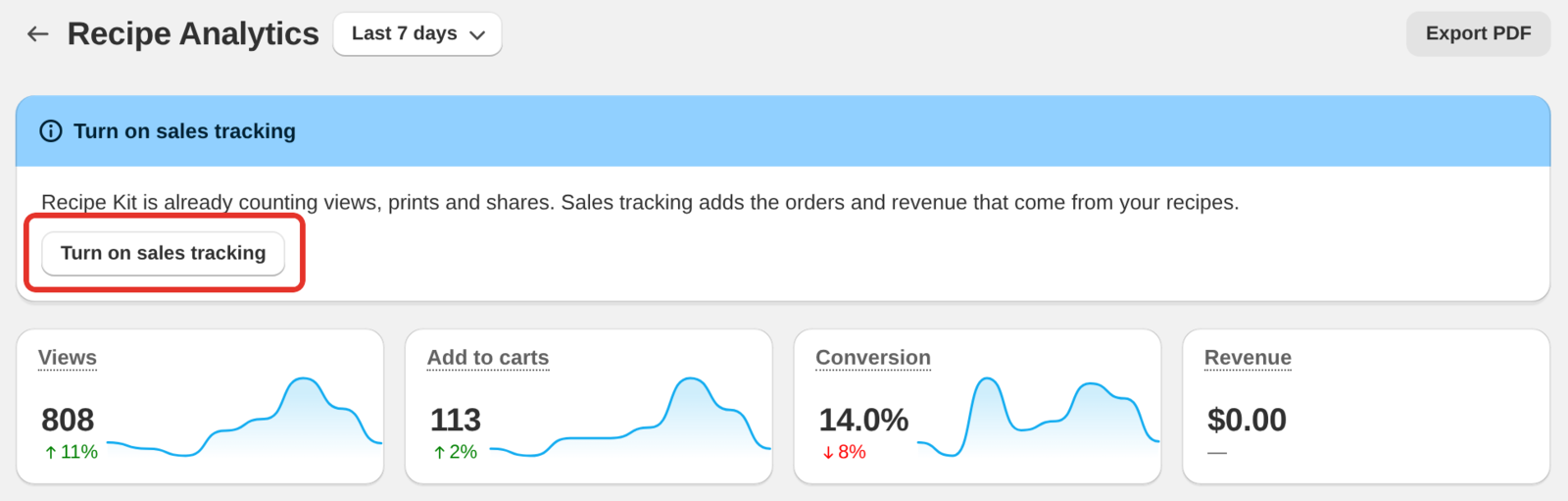
Revenue and orders come from a Recipe Kit pixel that Shopify adds to your store once you approve it. On Growth, the analytics page asks for it each time you open the page until it is on.
-
Open Recipe Kit and go to Analytics.
-
Click Turn on sales tracking, in the window that opens or in the banner at the top of the page.
-
Approve access to customer events when Shopify asks.
Views, prints and shares keep counting either way. Sales tracking adds the orders and revenue that come from each recipe.
To turn it off, click More actions at the top of the page, then Turn off sales tracking.
Export your numbers
- Export PDF, at the top of the page, opens your browser's print window with just the analytics. Choose to save as PDF.
- Export CSV, on the Recipes table, downloads every recipe in the table, or only the ones matching your search, as a spreadsheet file. On Growth it includes revenue and conversion.
Troubleshooting
Why is there no data at all?
The page tells you what it's waiting for:
- Publish a recipe to start collecting data means nothing is published yet.
- Add the Recipe Kit app block to your theme means the block isn't on your theme, and without it nothing is recorded. Click Add to theme, then Re-check status. See the Installation guide.
- Analytics is now tracking your store means everything is in place. Numbers arrive as shoppers view your recipes, usually within a few hours depending on traffic.
Why do I see fewer views than Shopify reports?
Where your store asks shoppers for cookie consent, Recipe Kit only counts shoppers who accept analytics.
Why are there views but no add to carts?
Either Add to Cart is switched off, or your ingredients aren't linked to products. See Add to cart button.
I'm on Growth. Why is there no revenue?
Check that sales tracking is on. See Turn on sales tracking above.
Why does a banner say these are sample numbers?
Analytics has been switched off for your store. Contact support and we'll turn it back on.
Why does one recipe get lots of views and the rest almost none?
Usually that recipe ranks in Google and the others don't. Look at what's different about the one that works: how complete it is, its images, and its recipe schema. See Google recipe schema.
What's next
- Add to cart button covers turning recipe views into add to carts.
- Installation guide covers adding the app block that records your analytics.
- Subscription plans covers what each plan includes.