
Google recipe schema
Recipe Kit adds Google recipe schema to every recipe page for you. This structured data is what lets Google show your recipe with a photo, star rating, cooking time and calories instead of a plain link.
Recipe schema is free on every plan. Writing recipe FAQs is part of the Growth plan, and their FAQ schema stays published on any plan once written.
What it gets you
- Rich results. Your recipe can appear in search with its image, rating, total time and calories.
- The recipe carousel. The scrolling row of recipes at the top of some results pages is built from this data.
- FAQ answers. Questions you add with Recipe FAQs are published as FAQ schema alongside the recipe.
There is nothing to switch on. Fill in the recipe and the schema follows.
What Recipe Kit sends
| Property | Comes from |
|---|---|
name |
Recipe title |
description |
Recipe description |
image |
Recipe image. Images hosted by Recipe Kit are sent in three shapes (16:9, 4:3 and 1:1), as Google asks. |
author |
The recipe's Author field. If that is empty, the blog post's author, then your shop name. |
datePublished |
The recipe's date. If that is empty, the blog post's publish date. |
prepTime, cookTime, totalTime |
Prep and cook time, converted to the format Google wants. Total is the two added together. |
recipeYield |
Servings |
recipeIngredient |
The ingredient list, without group headings |
recipeInstructions |
Each direction as a step, with its step title (or the direction text when it has no title), a link to that step on the page, and its step photo |
nutrition |
Calories and the other nutrition fields you filled in |
recipeCategory, recipeCuisine |
Category and cuisine |
keywords |
Keywords |
aggregateRating |
Average rating and number of ratings. Only sent when ratings are on for the recipe and it has at least one rating. The average is rounded to one decimal place, matching the card. |
video |
The recipe video, for YouTube, Vimeo, TikTok, Instagram and uploaded videos |
Fields you leave blank are left out rather than sent empty. An incomplete recipe still produces valid schema, just a less competitive one.
Two more kinds of schema come from other parts of Recipe Kit:
- FAQ schema from the recipe's FAQs, on the same page as the recipe.
- A list of recipes from the Recipe List block on pages that list several recipes, such as your home page or a roundup post. See Add a recipe list to any page.
Fill in the fields that matter most
| Field | Why it matters |
|---|---|
| Image | Google rarely shows a recipe rich result without one |
| Prep and cook time | Shows the total time in the result |
| Nutrition | Puts calories in the result |
| Ratings | Puts stars on your listing |
| Servings | Shows the yield |
Start with the image. See Recipe images, sizes and alt text.
Check your schema
- Open Google's Rich Results Test.
- Paste the URL of a blog post with a recipe on it.
- Click Test URL.
You want to see Recipes detected with no errors. The test may not list FAQ even when the recipe has FAQs, because Google only shows FAQ rich results for a small group of sites. The FAQ schema is still on the page for other search engines and AI assistants to read. Warnings usually point to optional fields you left empty. They are worth clearing but do not stop a rich result.
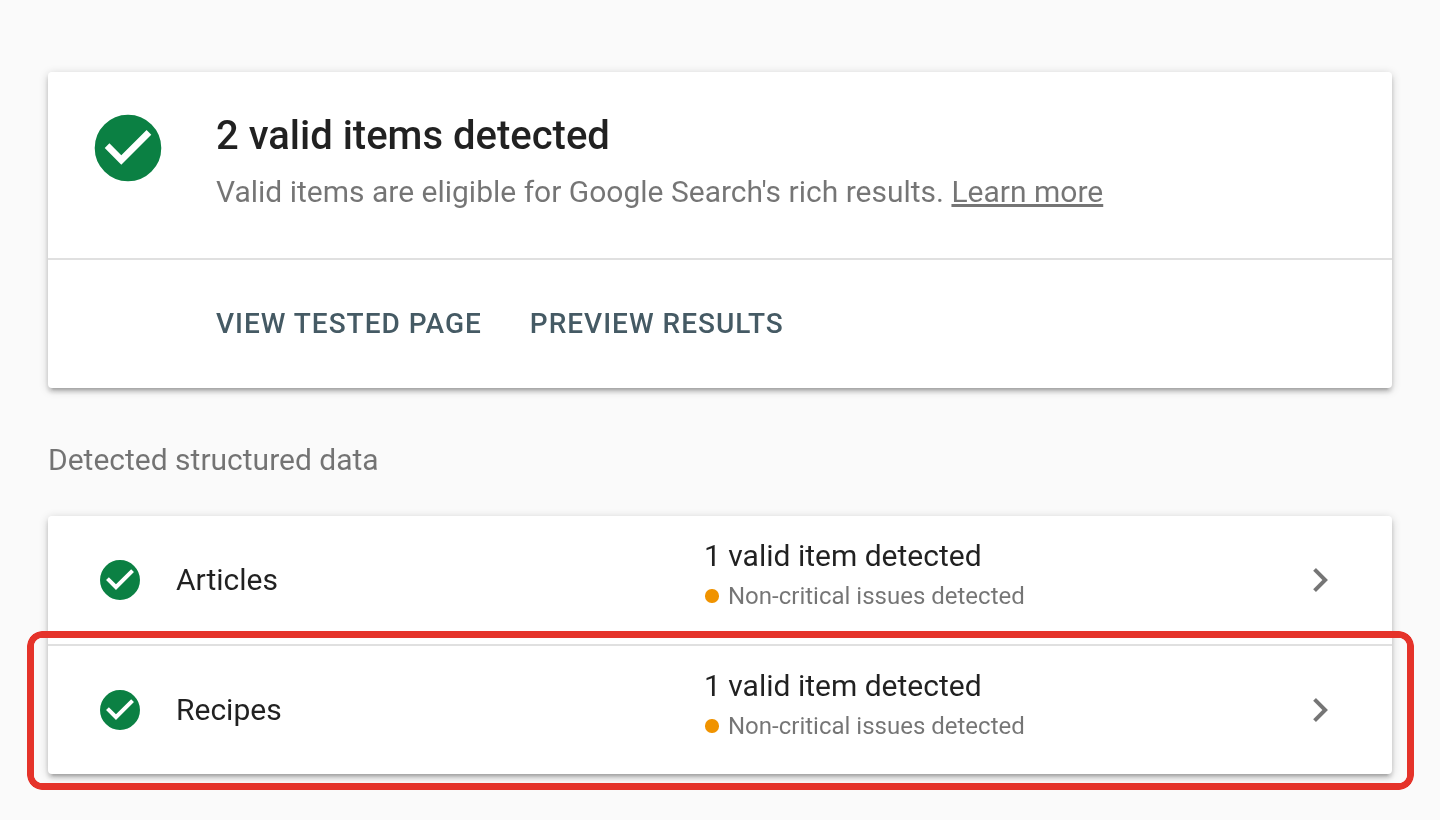
If something is missing or the test passes but Google still shows a plain link, see Why isn't my recipe showing in Google?.
Valid schema is not a guarantee
Valid schema does not make Google show your recipe. It makes your recipe eligible. Google still decides based on whether the page is indexed, how good the content is, how the site performs and how much competition there is for that dish.
What's next
- Why isn't my recipe showing in Google? covers fixing missing rich results.
- Recipe FAQs covers adding questions and answers to a recipe.
- Nutrition information covers getting calories into your results.