
Step-by-step photos
Add a photo to any step in your directions, so readers can see what "knead until smooth" or "golden at the edges" looks like.
Step photos are part of the Growth plan. Compare plans on the Recipe Kit app listing. On other plans, the photo tile beside each step is replaced by "Upgrade to upload images".
Add a step photo
- Open the recipe in Recipe Kit.
- Scroll to the Directions card.
- Click the image tile beside the step. Your Shopify files open, where you can pick a photo or upload a new one. You can also drag a photo from your computer onto the tile.
- Repeat for any other steps.
- Click Save.
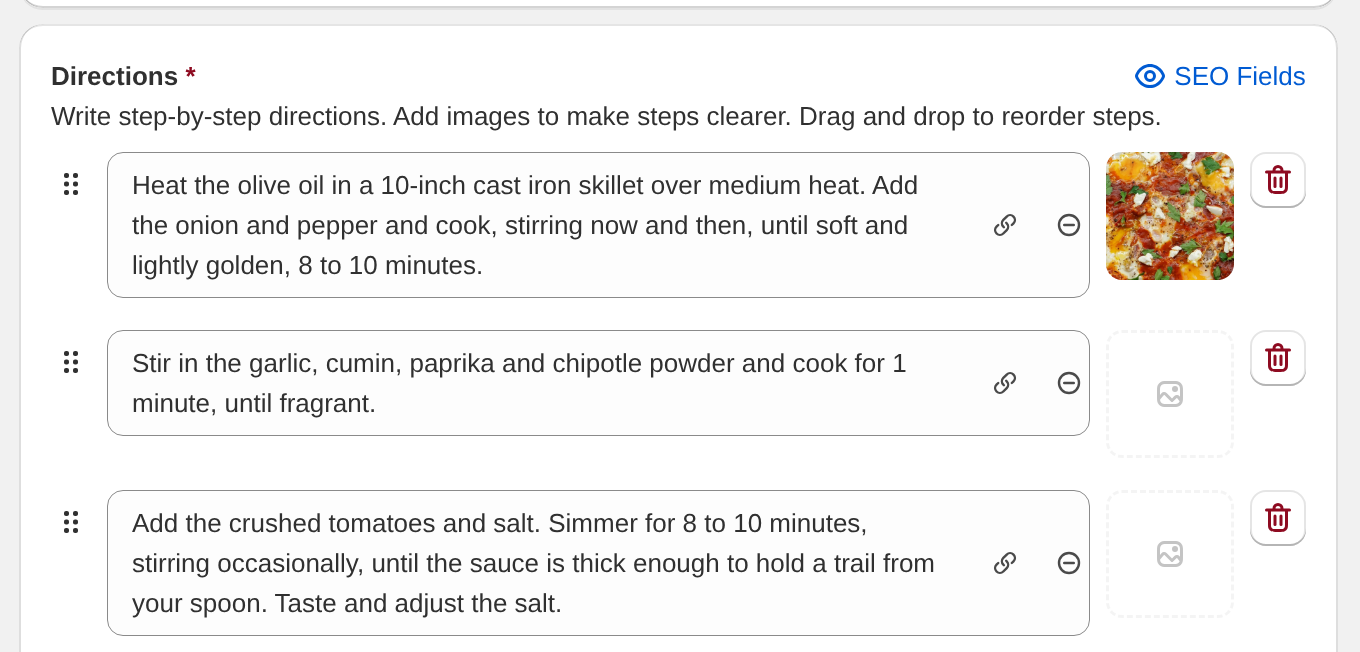
To swap or delete a photo, hover over it and click Change or Remove.
Reload the blog post and each photo shows under its step text.
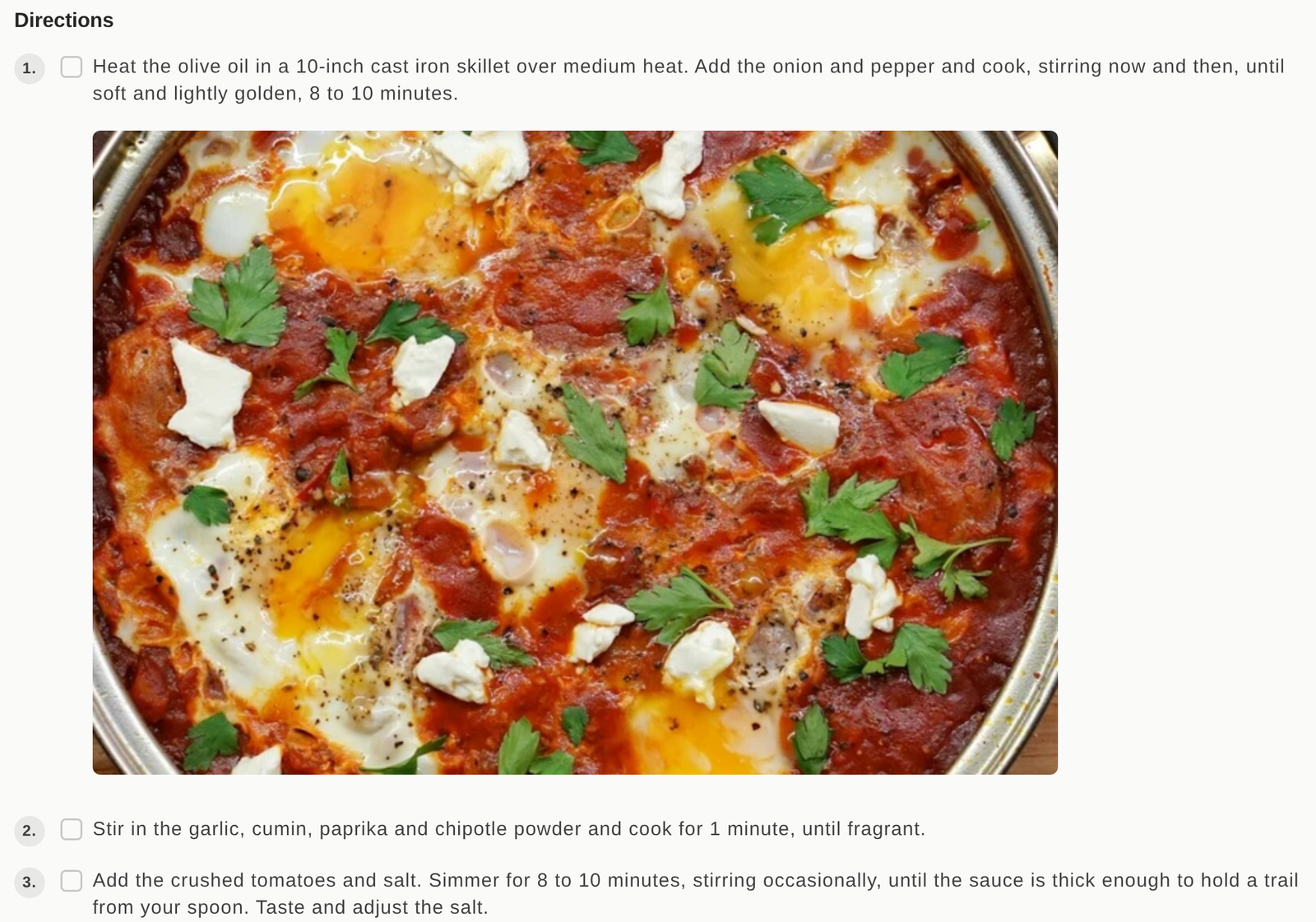
You do not need a photo on every step. Use them where seeing it helps.
What they are good for
- Technique. Folding, kneading, piping, anything hard to describe in words.
- Doneness. What "golden brown", "translucent" or "soft peaks" looks like in your kitchen.
- Assembly. Layer order for a lasagne, a trifle or a sandwich.
- Setup. An unusual pan, a specific attachment, an odd arrangement.
Photo tips
Step photos show smaller than the main recipe image, so detail matters more than size.
- Fill the frame with the thing you are showing, not the whole kitchen.
- Keep the lighting the same across the set so the sequence looks planned.
- Shoot them as you cook, not afterwards.
- Compress them before you upload. Recipe Kit serves a smaller copy of photos you upload or pick from your Shopify files, but a photo linked from another website loads at full size.
They are hidden in Cook Mode
Cook Mode hides step photos to keep the ingredients and directions readable from across the kitchen. So step photos help someone reading the recipe before they start, not someone cooking it. Make sure the text of each step works without its photo. See Cook mode.
Step photos and SEO
Recipe Kit adds each step photo to your Google recipe schema, attached to its step. Google uses this for step-by-step recipe results.
Import step photos in bulk
The CSV import has a direction_images column. It takes image URLs, matched in order to your direction steps. See Bulk recipe import and export for the format.
What's next
- Recipe directions covers writing the steps themselves.
- Recipe images, sizes and alt text covers file formats and sizes.
- Subscription plans covers which plans include step photos.