
Recipe equipment
The equipment list tells a reader what to get out of the cupboard before they start. If you sell kitchenware, it is also another place to link your products.
Equipment and product links work on every plan. The Add to Cart button on a linked item needs the Growth plan. Compare plans on the Recipe Kit app listing.
Equipment shows only on the new Recipe Kit widget. If Recipe Kit cannot find the new widget on your theme, the Equipment card shows a yellow notice. Click Install new widget to add it, Re-check if you just did, or I already have the new widget installed if you know it is there. See Upgrading to the new Recipe Kit widget.
Add equipment
- Open the recipe in Recipe Kit.
- In the Equipment card, click Add equipment.
- Type the item. Press Enter to start the next row.
- Click Save.
Each row is free text, so "12-inch cast iron skillet" works as well as "skillet". If you paste a list with one item per line, each line becomes its own row.
Drag rows to reorder them. Click Add group heading if a long list needs splitting up.
Link equipment to a product
- Open the recipe in Recipe Kit.
- Click Link product beside the item.
- Search for the product and select it.
- Click Save.
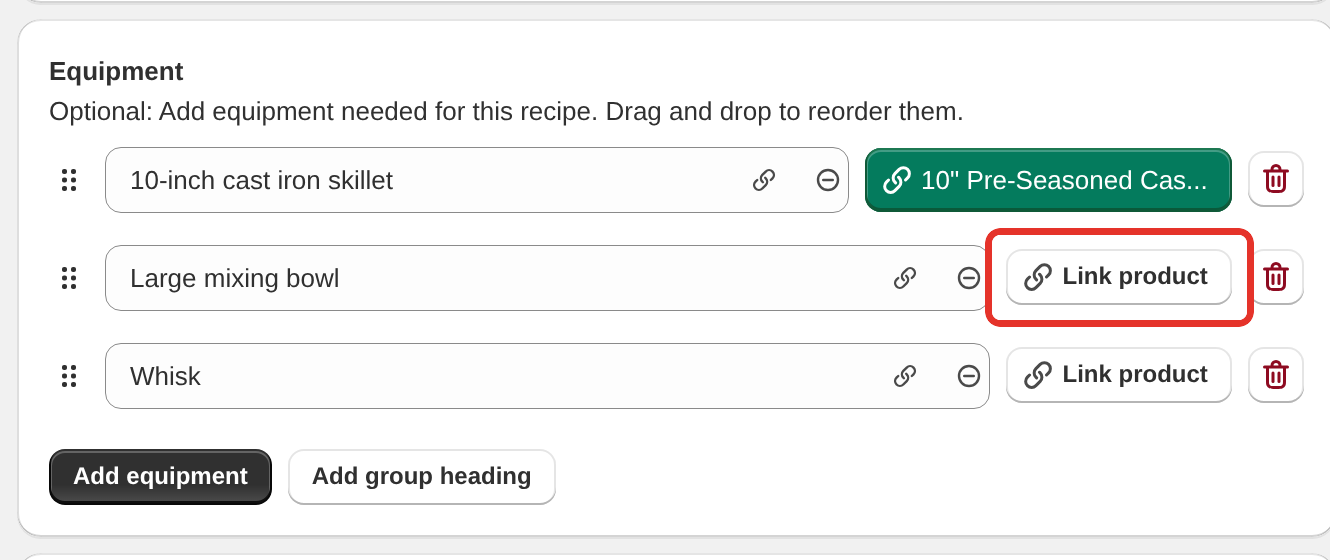
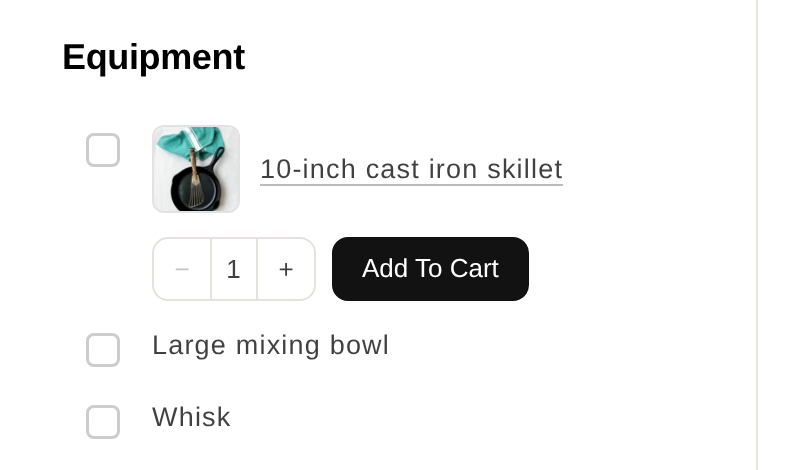
On every plan, a linked item becomes a link to the product page on your recipe card. On the Growth plan it also gets an Add to Cart button.
If Show ingredient product thumbnails is on in Settings > Advanced > Widget Features, linked equipment shows a product photo too. See Linking products to recipes for the chip colors and variants.
How it displays
Equipment has its own section on the recipe card. On Classic, Compact, Card and Card Vertical it comes before the directions. On Hero and Editorial it comes after them.
- A recipe with no equipment has no equipment section.
- Equipment is hidden in cook mode. See Cook mode.
Writing a useful list
Be specific where it matters. "9x13 inch baking dish" saves a reader ruining a bake in the wrong tin. "Bowl" does not need the same care.
Say when something is optional. "Stand mixer (or a hand mixer)" and "Instant-read thermometer, recommended" both set expectations.
Leave out the obvious. Nobody needs to be told they need a spoon. List the things that would stop someone mid-recipe if they did not have them.
Filter recipes by equipment
The free blog filter works on blog post tags, not on the equipment list. If you want readers to browse "air fryer recipes", add "air fryer" as a recipe keyword and tick Add keywords as blog post tags, or tag the blog posts in Shopify.
See Recipe filter and search bar and Keywords, categories and blog post tags.
What's next
- Linking products to recipes covers selling the equipment you list.
- Recipe ingredients covers the other list on the card.
- Creating recipes covers the rest of the recipe editor.