
Convert recipe units between metric and US
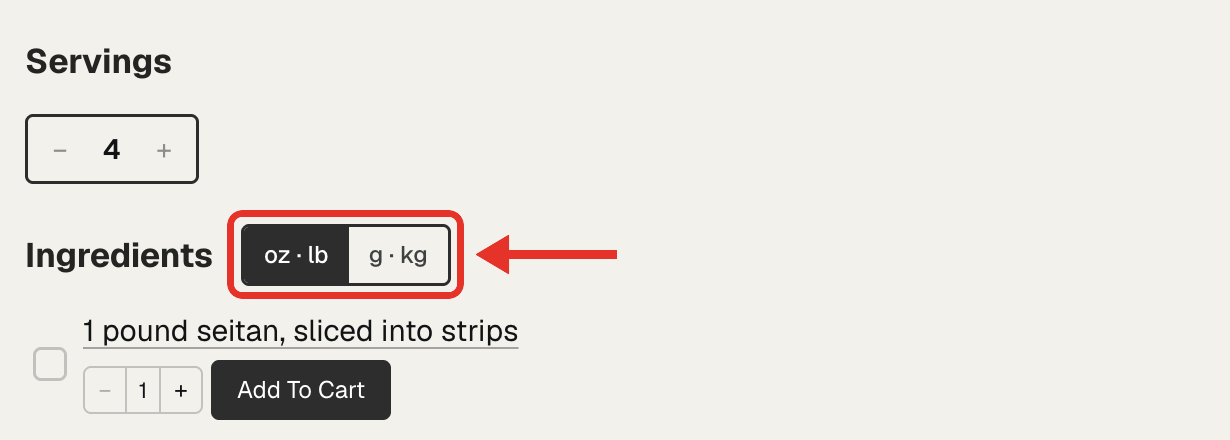
The unit converter adds a US and metric switch above the ingredients on your recipe card. A reader taps oz · lb or g · kg, and the amounts convert. You write each recipe once, in the units you like.
The unit converter is free on every plan.
Turn on the unit converter
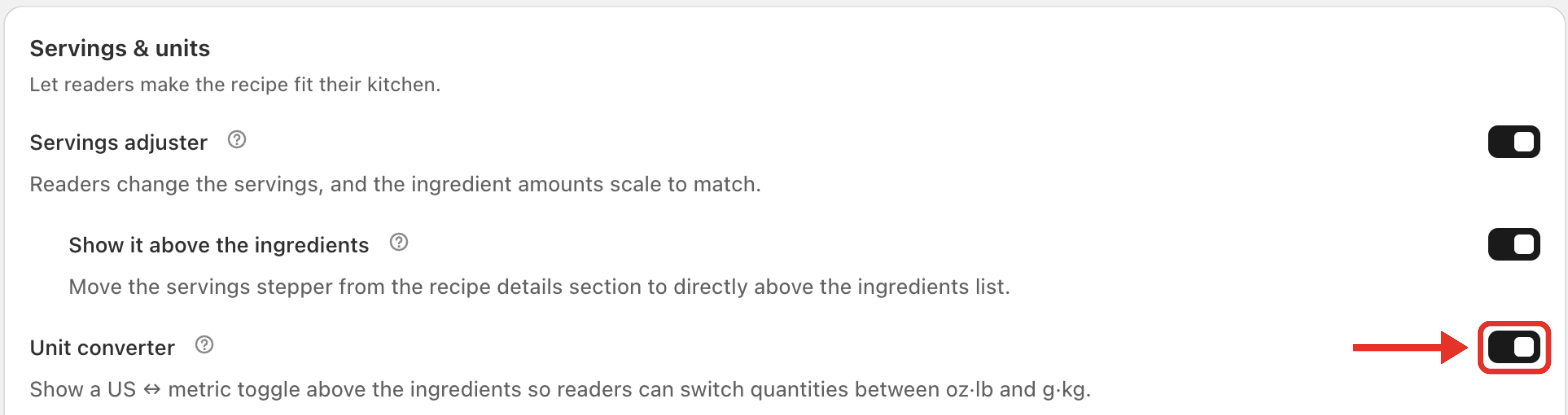
New stores have it on. To check it, or to turn it on:
- Open Recipe Kit and go to Settings.
- Under Recipe card in the sidebar, click Reader tools.
- Under Servings & units, switch on Unit converter.
- Click Save.
What readers see
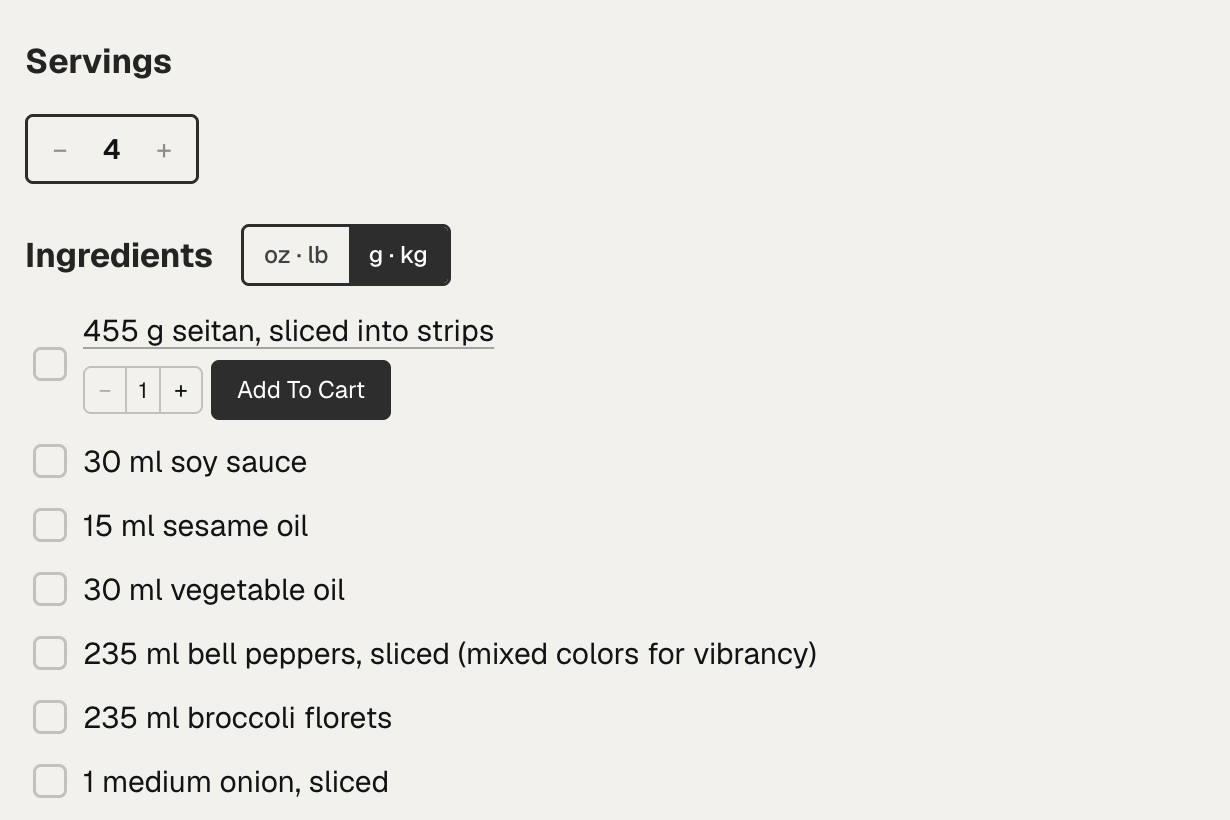
Tapping g · kg turns cups, tablespoons and teaspoons into millilitres, and ounces and pounds into grams. Tapping oz · lb turns them back. Large amounts move up a unit, so 3 pounds shows in kilograms rather than grams.
- The switch starts on the system your recipe is written in. A recipe in grams opens in metric, and a recipe in cups opens in US units.
- Once a reader picks a system, Recipe Kit remembers it for the other recipes they open on your store.
- The switch shows only on recipes with an amount it can convert, such as "2 cups" or "450 g". A recipe with only "4 eggs" has no switch.
- It works with the servings adjuster, so a reader can scale a recipe and switch units. See Let shoppers adjust servings and scale ingredients.
Translate the switch
The switch's visible labels are unit symbols, so they need no translation. Screen readers read the Unit Toggle: Switch to US Units and Unit Toggle: Switch to Metric Units labels. Change them in Settings > Translations & labels. See Changing the text on your recipe card.
Troubleshooting
The switch doesn't show
Check that Unit converter is on, and that the recipe has at least one amount with a unit, like "1 cup" or "200 g".
The unit converter needs the current Recipe Kit widget. If Recipe Kit asks you to upgrade when you switch it on, see Upgrading to the new Recipe Kit widget.
What's next
- Let shoppers adjust servings and scale ingredients covers the servings control that sits beside the switch.
- Recipe ingredients covers writing amounts the card can read.
- Customizing the recipe card covers the other Reader tools settings.