
Let shoppers adjust servings and scale ingredients
The servings adjuster adds a - and + control to your recipe card. A reader cooking for eight instead of four taps +, and every ingredient amount scales to match.
The servings adjuster is free on every plan, and it is on by default.
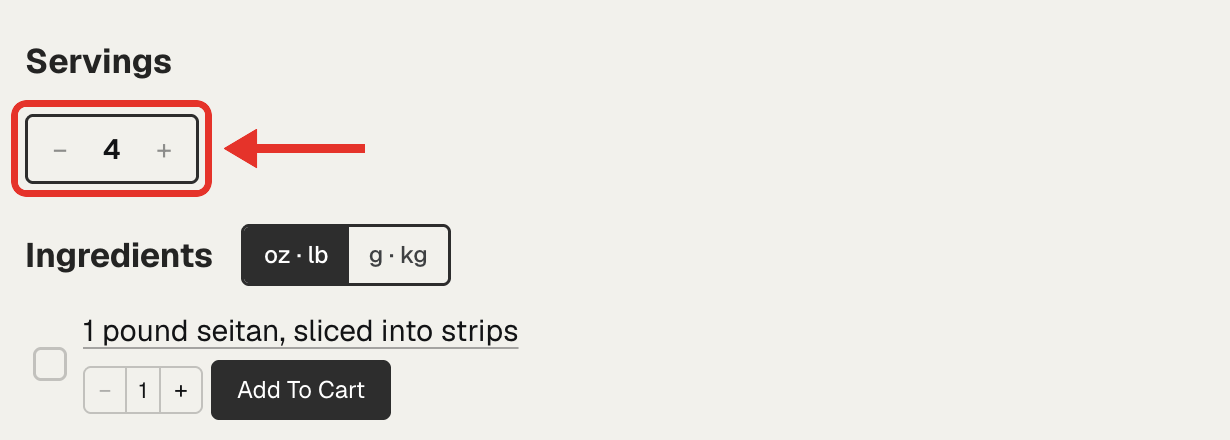
Turn the servings adjuster on or off
- Open Recipe Kit and go to Settings.
- Under Recipe card in the sidebar, click Reader tools.
- Under Servings & units, switch Servings adjuster on or off.
- Click Save.

Move it above the ingredients
The control sits with the recipe details at first. To put it right above the ingredient list, switch on Show it above the ingredients in the same card, then click Save. The option shows only while Servings adjuster is on.
What readers see
Each tap changes the servings by one, and the amounts follow. Going from 4 to 8 servings turns "1 pound" into "2 pounds" and "1 cup" into "2 cups".
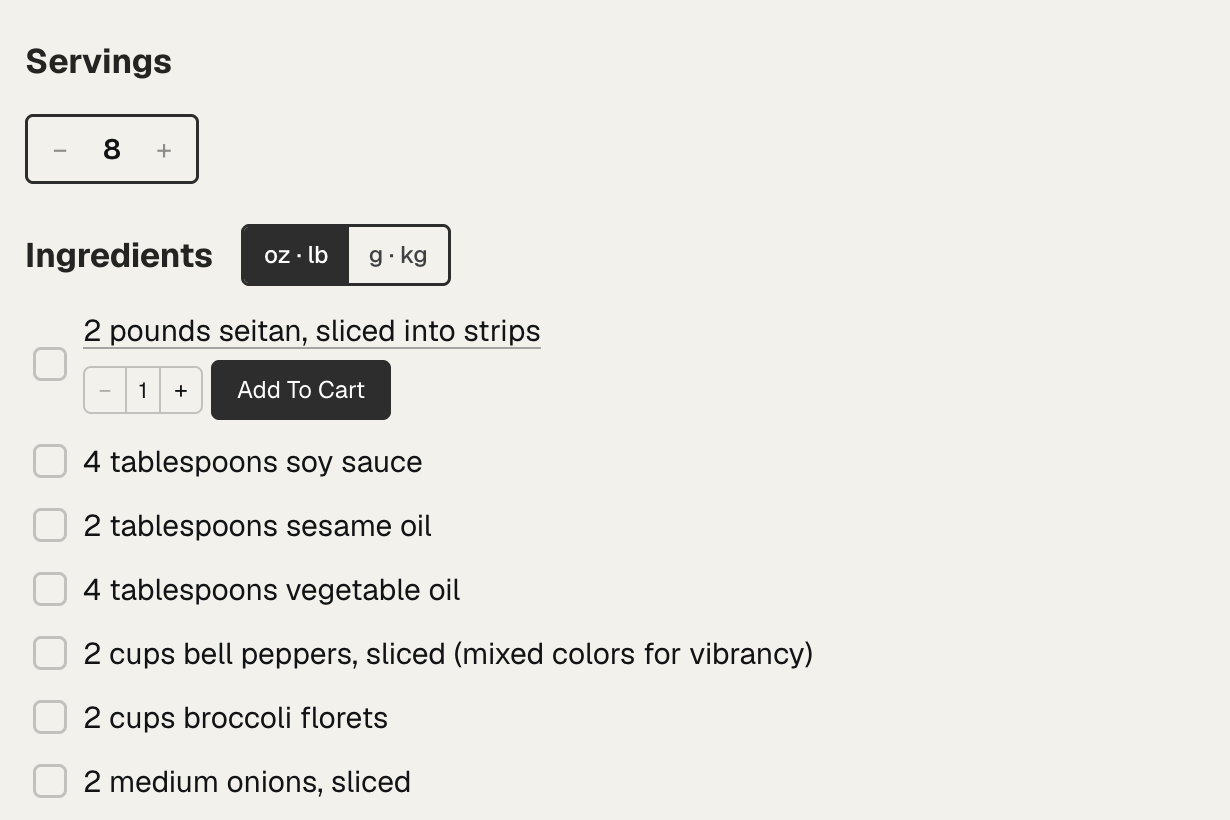
- Scaled amounts show as fractions, like ½ or 1¾. To show decimals instead, switch off Fractions in the same card.
- Lines without a number, like "salt to taste", stay as you wrote them.
- It works with the unit converter, so a reader can scale a recipe and switch between US and metric. See Convert recipe units between metric and US.
Give each recipe a servings number
The control shows only on recipes with a number in Servings, such as "4" or "4-6". Add it in the recipe editor. With a range, the amounts scale from the first number. Recipe ingredients has the details.
Troubleshooting
The control doesn't show
Check that Servings adjuster is on, and that the recipe has a number in Servings.
The servings adjuster needs the current Recipe Kit widget. If Recipe Kit asks you to upgrade when you switch it on, see Upgrading to the new Recipe Kit widget.
What's next
- Convert recipe units between metric and US covers the US and metric switch.
- Recipe ingredients covers fractions, ranges and how amounts scale.
- Cook mode covers the screen-on mode, which keeps the servings adjuster.