
Manual recipe importing service
Moving from another platform with a lot of recipes? The Recipe Kit team can do the import for you.
The import service is a one-time add-on you can buy on every plan. It costs $110 USD per 35 recipes. For more or fewer recipes, contact support for a quote.
What's included
The team moves your recipes from your existing site into Recipe Kit:
- All recipe details: ingredients, directions, times and servings
- Nutrition information, where your source has it
- Recipe images
- A blog post for each recipe, or a link to your existing posts
Where we can import from
- WordPress, including WP Recipe Maker and Tasty Recipes
- Squarespace
- Other Shopify recipe apps
- Most food blog platforms
Buy the import service
- Open Recipe Kit and go to Settings.
- Scroll to the bottom and click View Addons on the Recipe Kit Addons card.
- On the Manual Recipe Importing card, click Purchase Recipe Import Add-On ($110 USD).
- Approve the one-time charge in Shopify.
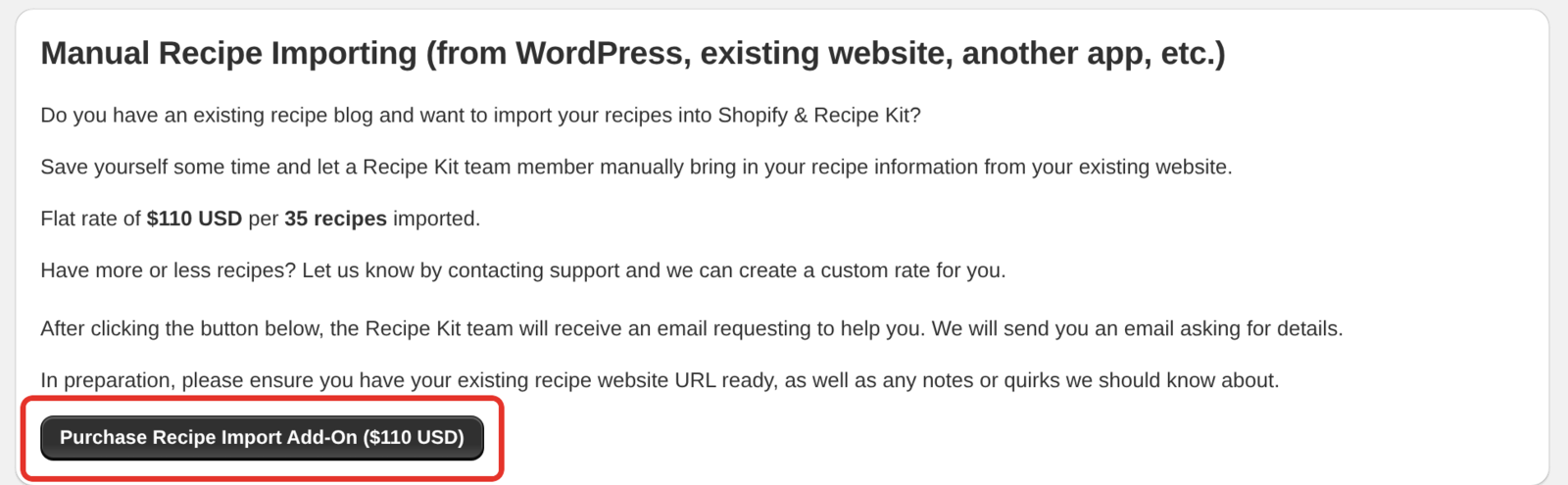
What happens next
- The Recipe Kit team is told about your purchase and emails you within 24 to 48 hours.
- You send your current site address, roughly how many recipes you have, and anything unusual about them.
- We confirm the scope and import your recipes.
- You review the recipes in Recipe Kit and publish them.
Not sure the service fits your site? Email [email protected] with your site address before you buy, and we will tell you.
Try the free options first
The built-in imports often cover a library without help. Check them before you buy.
- Import from your store. Tools > Import from your store scans the blog posts and pages already on your Shopify store for recipe content and turns what it finds into linked recipes. If you have already moved your content across to Shopify, start here.
- Import a recipe, one at a time. Click New recipe and choose Import a recipe to pull a recipe in from a URL, photo, PDF or pasted text. It works on every plan. Free includes 5 imports, Essentials 30 a month, Growth 250 a month, and Enterprise has no limit. Fine for twenty recipes, tedious for two hundred.
- CSV import. If you can get your recipes into a spreadsheet, Bulk recipe import and export will load them all at once.
The paid service is for libraries that are large, messy, or in a format none of these handle well. Importing recipes you already have helps you choose.
What's next
- Importing recipes you already have covers every way to bring recipes in.
- Bulk recipe import and export covers the spreadsheet route.
- Add-ons covers the other one-time purchases.