
Recipe card has a bug or looks odd?
If the recipe card shows but something is off, such as a line break in the wrong place, a duplicated word, a button that does nothing or odd spacing, check these in order. If no card shows at all, see Widget not showing instead.
1. Hard refresh
Your browser keeps a copy of the recipe card's stylesheet, so a fix can be live and still look broken to you. Press Ctrl+Shift+R on Windows or Cmd+Shift+R on Mac, or open the page in a private window.
This solves more reports than everything else on this page put together. Try it first.
2. Check your own custom CSS
Custom CSS can live in two places:
- In Recipe Kit, under Settings. Click Custom CSS at the bottom of the card with Layout and Features to open it.
- In the theme editor, in the Recipe Kit block's Custom CSS setting.
Remove your rules for a moment, save, and reload the page. Card layouts change between versions, and a rule written for an older layout can end up styling the wrong thing.
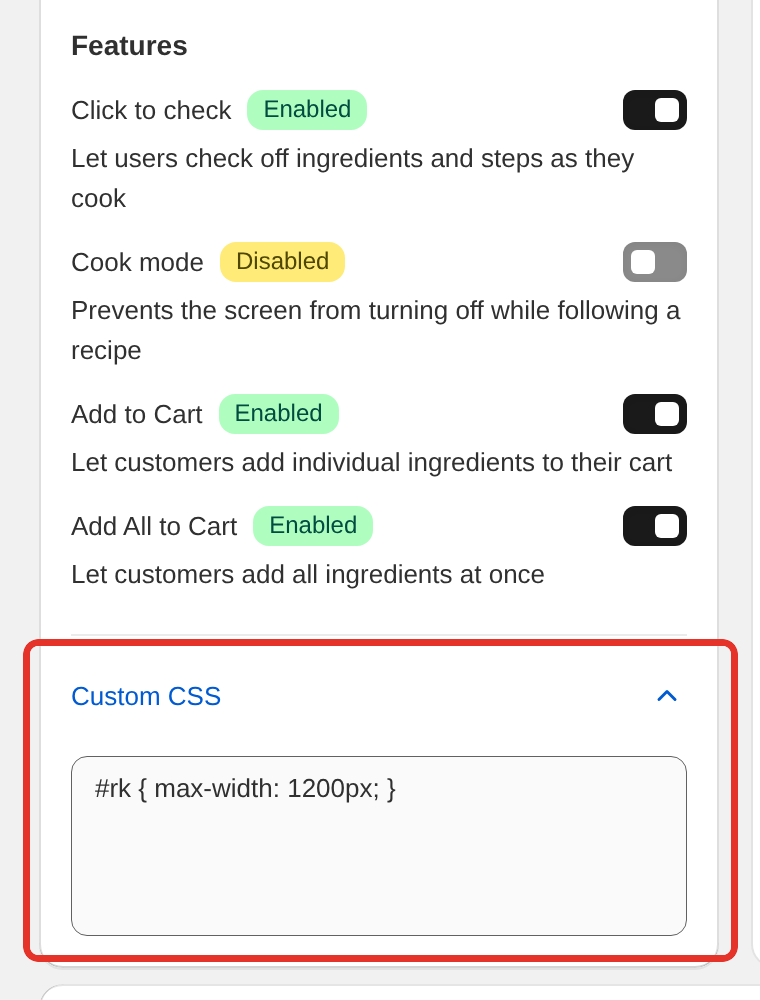
The Custom CSS box in Settings holds up to 50,000 characters. If Recipe Kit shows Not a valid css when you save, it found an error in your CSS and did not save it, so your last saved CSS is still the one in use. See Custom CSS styling for working examples.
3. Check your layout
Open Recipe Kit and go to Settings, then look at Layout. Each design arranges the card differently, so something that looks odd in one may be how that design works. Try another layout in the live preview on the same page to compare. See Recipe card templates.
4. Check you are on the current widget
Recipe Kit has two widgets. The current one loads from our servers and updates itself, so you always have the latest fixes. The original Liquid widget does not, and it gets no new features.
- You added Recipe Kit as an app block in the theme editor. You are on the current widget, including if the block is named Recipe Kit (Classic). There is nothing to swap.
- You pasted the
recipekit-sveltesnippet into your theme. The card's code updates itself, but the snippet is a copy from the day you pasted it. Copy it again from the gist in the Installation guide to pick up fixes. - You pasted the original
recipekitsnippet. You are on the legacy widget. See Upgrading to the new Recipe Kit widget.
5. Check your theme is not overriding it
The recipe card sits in the normal page rather than in a frame. That is what lets it use your theme's fonts and look like part of your site, and it also means a broad theme style can change it.
To test, preview a stock Shopify theme such as Dawn. If the card looks right there, the conflict is in your theme's CSS, and we can help you write a rule to fix it.
6. Tell us
If none of that solves it, email [email protected] or use the chat in Recipe Kit, and include:
- A link to a page where you can see the problem
- Your theme name
- A screenshot with the problem circled
- Which browser you use, and whether it also happens on mobile
That is usually enough for us to reproduce it without any back and forth.
What's next
- Widget not showing helps when no card appears at all.
- Text looks weird or has odd formatting covers problems with pasted text.
- Custom CSS styling shows how to change the card's look safely.