
Widget not showing
No recipe card on a page where you expect one? Work down this list in order. Most stores find the cause in the first three checks.
1. Check the recipe is Published
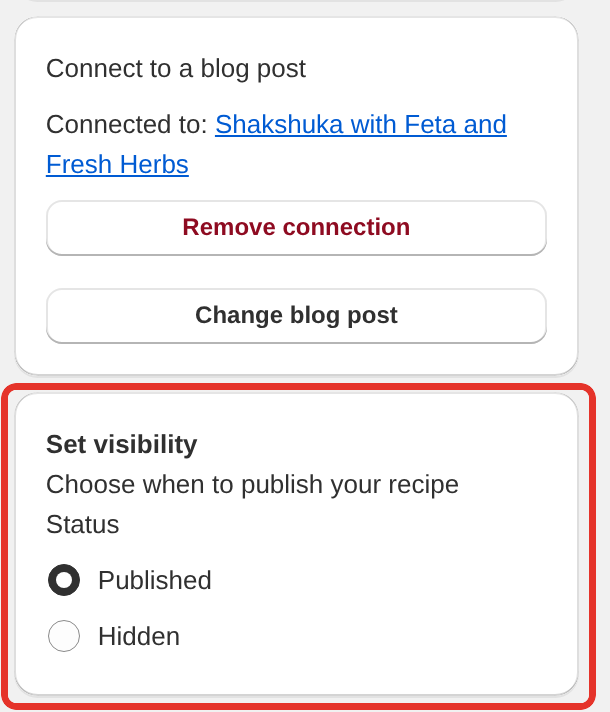
Open the recipe in Recipe Kit and look at the Set visibility card. Hidden recipes do not show on your storefront. A recipe is Hidden if someone chose Hidden, clicked Unpublish in the recipe list, imported it from a CSV row marked hidden, or created it while Default Recipe Status in Settings > Advanced was set to Hidden. If that setting is Disabled, Recipe Kit never publishes a new recipe's blog post, so check the post is published in Shopify too.
Choose Published and click Save.
2. Check the recipe is linked to that blog post
On a blog post, Recipe Kit works out which recipe to show from the link between the recipe and the post.
- Open the recipe in Recipe Kit.
- Find the Connect to a blog post card. It should name the post under Connected to.
- If it shows Not connected, click Select blog post and choose the post. Then click Save.
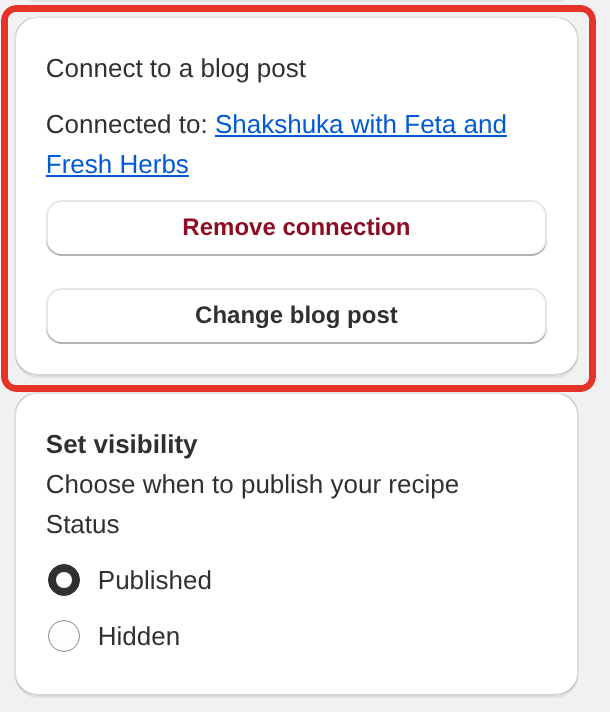
The recipe list on the Recipe Kit home page flags these problems for you. A Disconnected badge next to a recipe means it is Published but not linked to any post, or the post it was linked to has been deleted in Shopify. In the second case the recipe shows a Blog post connection broken message with a Reconnect to a different post button.
See Linking blog posts to recipes.
3. Check the block is still on your theme
This is the most common cause, and switching or updating your theme is what triggers it. App blocks live in the theme, not in the app, so a new theme starts without one.
Recipe Kit warns you in two places:
- The home page shows Your recipes are ready but not showing on your store. This appears when your theme has no Recipe Kit block, no code snippet, and your recipe cards have had no views for three days. Click Add it in the theme editor.
- The bottom of Settings shows Recipe Kit is not active on your theme. Click Add to theme. Re-check status runs the check again after you change your theme.
Both buttons open your theme editor with the Recipe Kit block already added. Click Save.
To check by hand:
- In Shopify admin, go to Online Store > Themes and click Customize.
- Pick Blog posts > Default blog post from the page menu at the top.
- Look for a Recipe Kit block in the left sidebar under Template.
- If it is not there, click Add section, open the Apps tab, select Recipe Kit and click Save.
If you see both Recipe Kit and Recipe Kit (Classic), either works. They are the same widget.
The warning shows, but my recipes are fine
Recipe Kit's theme check cannot always see a widget you added with the code snippet. If your recipe cards show on your store, click I already have the new widget installed under the Settings message and it goes away.
4. Check the post uses the template with the block
Themes can have several blog post templates, and adding the block to Default blog post does not cover a post assigned to a different one.
- In Shopify admin, open the blog post.
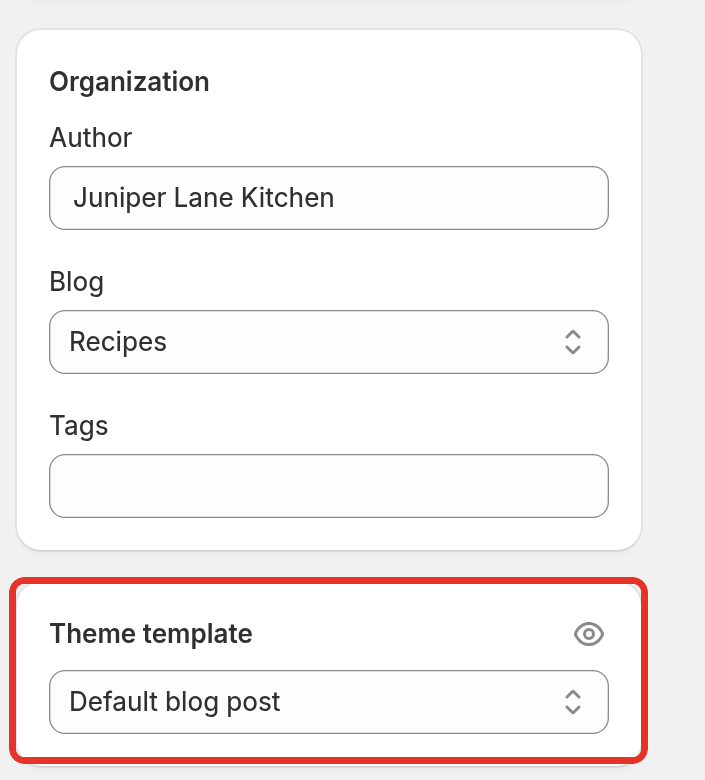
- Check the Theme template setting in the sidebar.
- Add the Recipe Kit block to that template in the theme editor.
The same applies to product pages and custom pages. The block has to be on the template that page uses.
5. On other pages, check the Recipe ID
Outside blog posts there is no post to find a recipe from, so the block needs a Recipe ID in its settings. The ID is the number at the end of the page address when the recipe is open in Recipe Kit. If the address ends in /recipe/768, the Recipe ID is 768.
Leave the Recipe ID blank on blog post templates, or every post shows the same recipe.
6. Hard refresh
Press Ctrl+Shift+R on Windows or Cmd+Shift+R on Mac, or open the page in a private window. Browsers can keep showing an old copy of the page. See Recipe card has a bug or looks odd? for more on caching.
Vintage themes
If your theme does not support app blocks, the widget is a Liquid snippet. In Shopify admin, go to Online Store > Themes, click ... next to your theme and choose Edit code. Then check:
-
The snippet
recipekit-svelte.liquidexists under Snippets. -
Your blog post template has this tag:
{% render 'recipekit-svelte' %}
Older installs use the original snippet, recipekit.liquid, with {% render 'recipekit' %}. That works too, but it is the legacy widget. See Upgrading to the new Recipe Kit widget.
A theme update can overwrite template files, so a snippet can disappear the same way a block can. Full instructions are in the Installation guide.
The card shows, but looks wrong
That is a different problem. See Recipe card has a bug or looks odd?.
Still nothing
Email [email protected] with a link to the page, your theme name, and how you installed Recipe Kit, app block or code snippet. We can usually see the cause from the page itself. The home page warning also has an ask us to fix it link that starts a message to us for you.
What's next
- Installation guide covers the block, its settings and the snippet.
- Linking blog posts to recipes explains how a recipe finds its post.
- Contact support lists what to send us.