
Why isn't my recipe showing in Google?
Your recipe page is live but Google shows a plain link, shows your blog index instead, or shows nothing. This article covers why that happens and what helps.
Recipe schema is free on every plan.
Check the schema first
- Open Google's Rich Results Test.
- Paste the URL of the blog post with the recipe on it.
- Click Test URL.
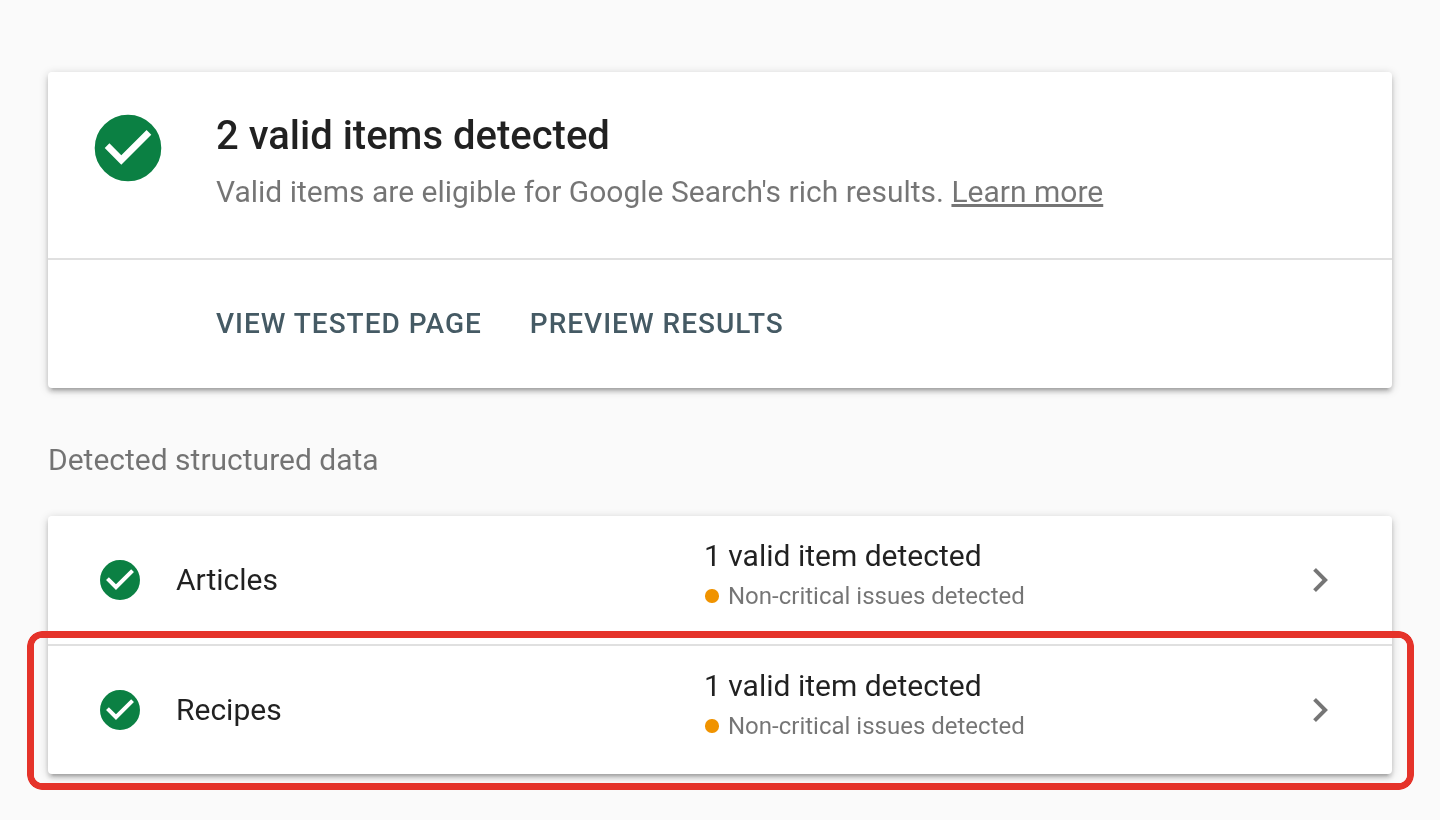
You want Recipes detected with no errors. If the test fails, the fix is on your side and is covered below. If it passes, your recipe is eligible for a rich result. Google still decides whether to show one.
Google recipe schema lists everything Recipe Kit sends.
The test finds no recipe
- Check the recipe's visibility is Published in Recipe Kit.
- Check the recipe is connected to that blog post. Open the recipe and look at the Connect to a blog post card. See Linking blog posts to recipes.
- Visit the post yourself and check the recipe card shows. Google reads the same page a visitor sees.
- On blog post templates, leave the Recipe Kit block's Recipe ID empty. When a Recipe ID is set, the schema is only added after the card loads in the browser, instead of being part of the page from the start.
The image, time or stars are missing
Each part of a rich result is earned separately:
- No image. The recipe has no image, or Google could not load it. Add one and check it shows on your store. This is the most common cause.
- No stars. The recipe has no ratings yet, or ratings are switched off for it. Ratings come from visitors clicking the stars on your card, so a new recipe has none.
- No cooking time. Prep or cook time is empty. Recipes made before the hours and minutes boxes were added may still hold a time typed as text. If Recipe Kit cannot read hours or minutes from that text, for example "about half an hour", no time is sent. Open the recipe, click Replace beside the old time and enter hours and minutes.
Google shows my blog index instead of the recipe
You search for a recipe by name and get /blogs/recipes rather than the recipe's own post. This is common and usually temporary. It happens when:
- Google indexed your blog index before the individual posts, which is normal for a new or recently changed blog.
- Your theme puts the blog or shop name in every post's title and meta description, so the posts do not look distinct.
- You recently added or changed the recipe and Google has not crawled it again.
To fix it, give each recipe post its own descriptive title and meta description in Shopify, then request indexing for the post in Google Search Console.
Nothing appears at all
- Check the page is indexed. Search Google for
site:yourstore.com/blogs/recipes/your-post-handle. No result means Google has not indexed the page yet, and schema cannot help until it does. Submit the URL in Search Console with URL Inspection and Request indexing. - Give it time. Indexing takes days. Rich results often take longer, and a recrawl after an edit can take weeks.
What helps your recipes rank
- Write for the reader. A post with a real introduction, useful notes and answers to common questions beats a bare recipe card with perfect markup. Recipe FAQs can add those answers with their own FAQ schema.
- Make each post distinct. Use a unique title, meta description and image for every recipe.
- Keep the page fast. Recipe search is crowded, and page speed helps break ties.
- Link to your own recipes. Link from other posts, collections and your menu. Google finds well-linked pages sooner.
- Be patient. Established food sites have years of authority behind them, and correct markup alone will not outrank them.
What's next
- Google recipe schema covers what Recipe Kit sends and how to check it.
- Recipe FAQs covers adding FAQ answers to a recipe.
- Recipe images, sizes and alt text covers getting the image right.