
Recipe videos
Add a video to a recipe and it plays inside the recipe card, below the directions. Recipe Kit takes YouTube and Vimeo links, TikTok and Instagram embed codes, and video files you have uploaded to Shopify.
Recipe videos are free on every plan.
Add a YouTube or Vimeo video
- Open the recipe in Recipe Kit.
- In the Recipe media card, find Recipe Video and click URL.
- Paste the link to the video.
- Click Save.
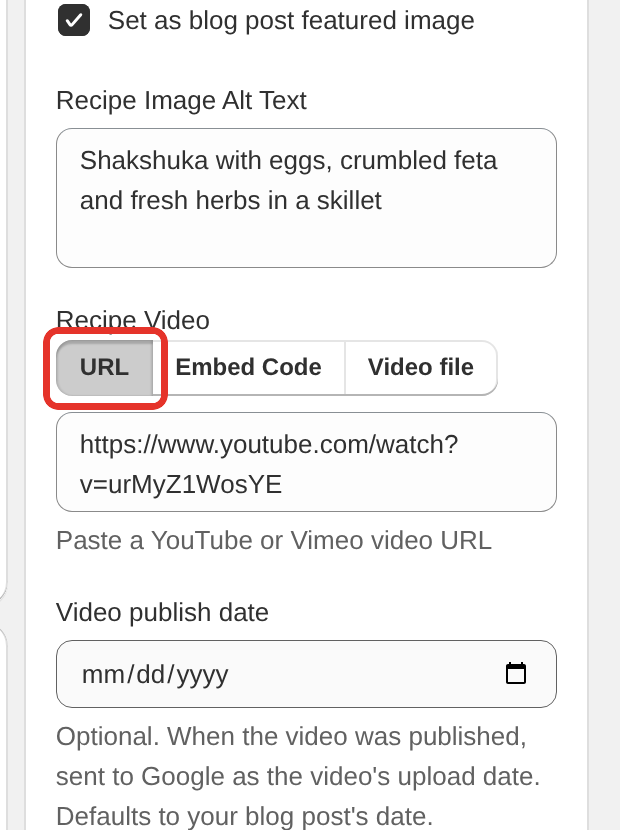
These link formats work:
https://www.youtube.com/watch?v=VIDEO_ID
https://youtu.be/VIDEO_ID
https://www.youtube.com/shorts/VIDEO_ID
https://www.youtube.com/embed/VIDEO_ID
https://vimeo.com/VIDEO_ID
https://player.vimeo.com/video/VIDEO_ID
YouTube Shorts play in a tall, vertical player.
Add a TikTok or Instagram video
TikTok and Instagram videos go in as embed code.
- On TikTok, open the video, click Share, then Embed, and copy the code. On Instagram, open the post on a computer, click the three dots, then Embed, and copy the code.
- Open the recipe in Recipe Kit.
- In the Recipe media card, find Recipe Video and click Embed Code.
- Paste the code.
- Click Save.
TikTok videos and Instagram Reels play in a vertical player.
Add a video file from Shopify
If you host your own video, upload it to Shopify first, under Content > Files in your Shopify admin.
- Open the recipe in Recipe Kit.
- In the Recipe media card, find Recipe Video and click Video file.
- Pick the video from your Shopify files.
- Click Save.
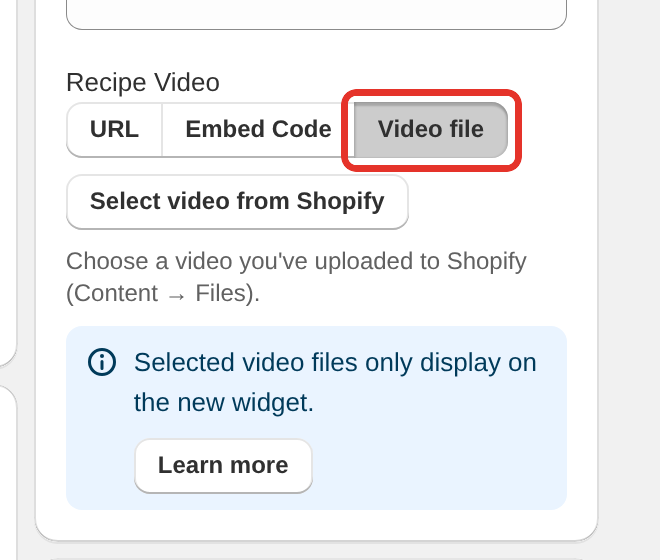
Video files play only on the new Recipe Kit widget, as the notice under the field says. See Upgrading to the new Recipe Kit widget.
Set the video publish date
Once a recipe has a video, a Video publish date field appears under it. Enter the date the video was first published. Google reads it as the video's upload date. If you leave it empty, the blog post's date is used.
How videos display
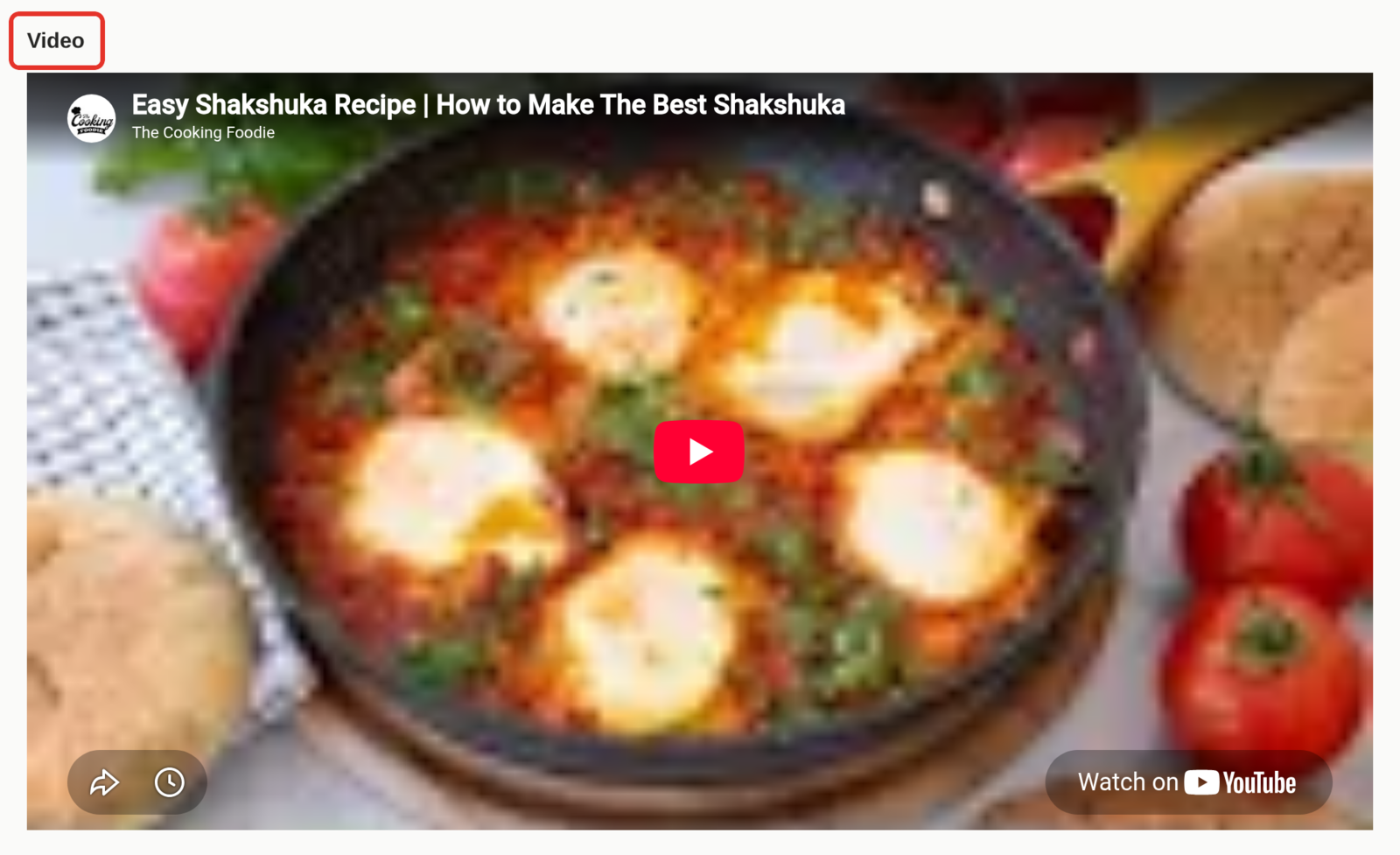
The video sits in its own section of the recipe card, below the directions, under the heading Video. You can rename the heading in Settings > Translations & Labels.
- Videos are left off the printed recipe.
- Videos are hidden in Cook Mode.
- To show the video somewhere else on the page, see Move the recipe video elsewhere on the page.
Video in search results
Recipe Kit adds the video to your recipe's structured data for Google, so the recipe can show up in video results. This works for every video type: YouTube, Vimeo, TikTok, Instagram and video files. The video takes its name and description from the recipe, and its upload date from Video publish date. See Google recipe schema.
Troubleshooting
"Please enter a valid video URL or embed code"
Recipe Kit did not recognise what you pasted. Check that YouTube and Vimeo links are in URL mode and TikTok and Instagram embed codes are in Embed Code mode. Copy the link from your browser's address bar, and make sure there are no extra spaces.
The video says it is unavailable
- The video is set to Private. Set it to Public or Unlisted on YouTube.
- Embedding is turned off for the video. On YouTube, check the embedding option in the video's settings. See YouTube's help on embedding.
- The video is blocked in some countries.
The video starts at the beginning, not at my timestamp
The recipe card ignores start times such as &t=30 in a YouTube link, so the video always plays from the start. Only the original Liquid widget used them.
The video section does not show at all
- Save the recipe and reload the blog post.
- If you copied a link to a YouTube live stream (
youtube.com/live/...), open the video on YouTube and copy itswatch?v=link instead. - If you picked a video file, check that your store uses the new Recipe Kit widget.
Still stuck? Contact support with the blog post address and the video link.
What's next
- Move the recipe video elsewhere on the page covers placing the video outside the card.
- Recipe images, sizes and alt text covers the main recipe photo.
- Google recipe schema covers the structured data Recipe Kit publishes.