
Headless API access
The Recipe Kit API returns your recipes as JSON, so a developer can use them outside your Shopify theme: in a headless storefront, a mobile app, a meal planner or a nightly export. It is read-only. You create and edit recipes in Recipe Kit, and the API hands them out.
API access is part of the Enterprise plan. Compare plans on the Recipe Kit app listing.
All requests go to this base URL:
https://sapp.recipekit.com/api/v1
Get an API key
- Open Recipe Kit and go to Settings.
- Click Advanced to expand it.
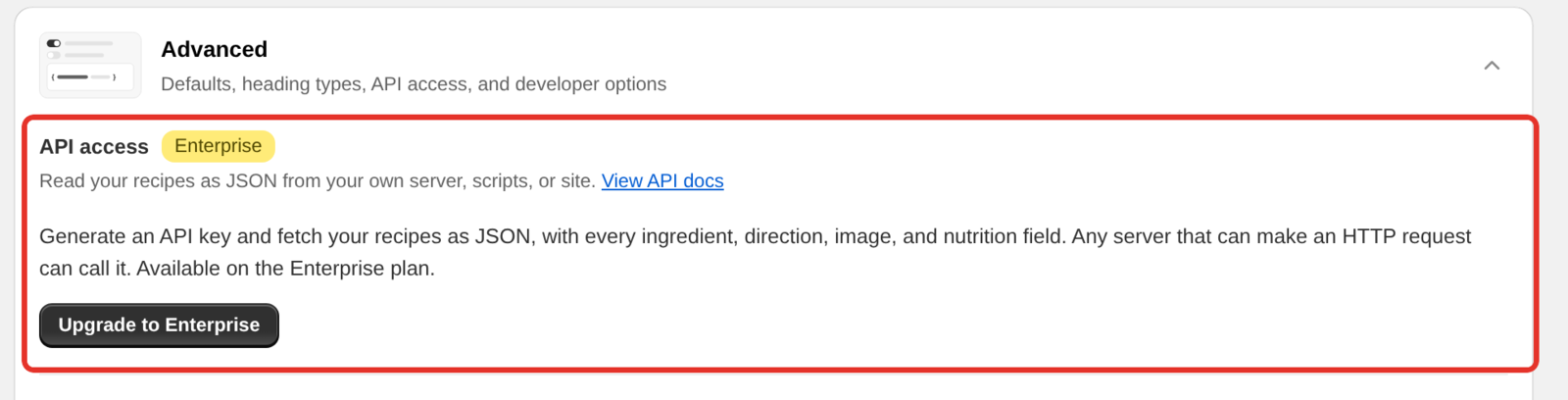
- In the API access card, click Generate API key.
- Click Copy key and store the key somewhere safe.
On plans below Enterprise, the card shows Upgrade to Enterprise instead of Generate API key.
The key starts with rk_live_ followed by 32 characters. You see it only once. Recipe Kit stores a scrambled copy that cannot be turned back into the key, so nobody, including support, can show it to you again. If you lose it, generate a new one.
The key belongs to your shop. Every request returns your recipes, and there is no shop parameter to set.
Never put the key in browser JavaScript. Anyone who opens the page could read it and use it. Calls from a browser are refused on purpose with a 405 error, so a leaked key cannot ship by accident. Keep the key on your server, for example in an environment variable.
Make your first request
Send the key in the X-API-Key header:
curl https://sapp.recipekit.com/api/v1/shop \
  -H "X-API-Key: rk_live_your_key_here"
If the response shows your shop name and recipe count, you are connected.
GET /recipes
Lists your recipes, newest first.
curl "https://sapp.recipekit.com/api/v1/recipes?limit=50" \
  -H "X-API-Key: rk_live_your_key_here"
| Parameter | Default | What it does |
|---|---|---|
limit |
100 | Recipes per page. Up to 500, or up to 100 with fields=full. Higher values are lowered to the maximum. |
offset |
0 | How many recipes to skip. Use it with limit to page through. |
status |
all | Only recipes with this status: 1 Published, 0 Hidden, 4 Disabled. |
fields |
summary | summary returns the card fields. full adds the whole recipe. |
updated_since |
none | An ISO 8601 timestamp. Returns only recipes changed after it. See Keep a copy in sync below. |
A response looks like this:
{
  "success": true,
  "shop": {
    "domain": "your-store.myshopify.com",
    "allows_shop_metafields": true
  },
  "recipes": [
    {
      "id": 12345,
      "title": "Brown Butter Chocolate Chip Cookies",
      "author": "Jane Doe",
      "description": "Chewy in the middle, crisp at the edge.",
      "date": "2026-08-14T00:00:00.000Z",
      "status": 1,
      "image": "https://cdn.shopify.com/.../cookies.jpg",
      "category": "Dessert",
      "cuisine": "American",
      "servingSize": "24 cookies",
      "prepTime": "20 minutes",
      "cookTime": "12 minutes",
      "enableRating": true,
      "updatedAt": "2026-08-20T14:02:11.482Z",
      "metafieldKey": "12345"
    }
  ],
  "pagination": {
    "total": 214,
    "limit": 50,
    "offset": 0,
    "hasMore": true
  }
}
Get whole recipes in one call
Add fields=full and each recipe also includes imageAltText, ingredients, directions, equipment, note, video, calories, tags, nutritionData, nutritionServingSize and customFields. The names match the detail endpoint, so one page of fields=full replaces a list call plus one detail call per recipe.
curl "https://sapp.recipekit.com/api/v1/recipes?fields=full&limit=100" \
  -H "X-API-Key: rk_live_your_key_here"
These responses are much larger, so limit tops out at 100.
Ingredients, directions and equipment come back as HTML, exactly as stored. That HTML carries the product links behind Add to Cart, so if you strip it, shoppable ingredients stop working.
GET /recipes/{id}
Returns one recipe, where it lives in Shopify, and the display settings your store uses.
curl https://sapp.recipekit.com/api/v1/recipes/12345 \
  -H "X-API-Key: rk_live_your_key_here"
The response has three parts:
recipeis the full recipe, with the same field names asfields=full, plusfaqs, the recipe's questions and answers.recipe.metafieldgives the Shopify metafield namespace and key that hold the recipe, and the blog post URL if the recipe is connected to one.widgetholds what the standalone recipe card needs: the script URL, design, color, feature settings and your labels.
GET /shop
Returns your plan, install date, recipe count and feature flags. Use it as a connection check, or to spot a plan change before your key stops working.
{
  "success": true,
  "is_recipe_kit_user": true,
  "shop_domain": "your-store.myshopify.com",
  "shop_name": "Your Store",
  "plan": "enterprise",
  "install_date": "2025-11-02T18:41:03.221Z",
  "status": 1,
  "recipe_count": 214,
  "features": {
    "shop_metafields": true,
    "analytics": true
  },
  "integration_ready": true
}
Keep a copy in sync
Every recipe has an updatedAt timestamp, and updated_since filters on it. A nightly job can fetch only what changed:
curl "https://sapp.recipekit.com/api/v1/recipes?fields=full&updated_since=2026-08-20T14:02:11.482Z" \
  -H "X-API-Key: rk_live_your_key_here"
Store the latest updatedAt you received and send it on the next run. Subtract a few seconds first, so an edit saved at the same moment as your last run is not missed. Getting the same recipe twice does no harm.
A deleted recipe drops out of the list, so an updated_since run cannot tell it was deleted. If you keep recipes in your own database, run a full pass now and then (fields=summary is light) and remove anything the API no longer returns.
Show the Recipe Kit card instead
If you would rather not build your own layout, load the standalone script and let Recipe Kit draw the same card your Shopify store shows. The detail response includes the script URL in widget.scriptUrl. See Show recipes outside your Shopify theme for the HTML.
Rate limits
Each key can make 60 requests per minute. Go over and you get a 429 error with a Retry-After header saying how many seconds to wait. Wait and retry rather than sending more requests. Repeated failed requests from one address are slowed down further.
Errors
Every error returns JSON with a readable error message and a fixed code. Check code in your code, because the wording of error can change.
{
  "error": "API access requires an active Enterprise subscription. Renew in Recipe Kit to re-enable this key.",
  "code": "SUBSCRIPTION_INACTIVE"
}
| Status | Code | What happened |
|---|---|---|
| 400 | INVALID_PARAMETER |
A query parameter has the wrong format. The message names it. |
| 401 | API_KEY_MISSING |
No X-API-Key header. |
| 403 | API_KEY_INVALID |
The key is wrong, or it was rotated or revoked. |
| 403 | PLAN_MISSING_FEATURE |
The shop is not on Enterprise. Upgrade and the same key works again. |
| 403 | SUBSCRIPTION_INACTIVE |
Enterprise plan with no active subscription. Renew and the same key works again. |
| 404 | RECIPE_NOT_FOUND |
No recipe with that ID in this shop. |
| 404 | SHOP_NOT_FOUND |
The shop is not in Recipe Kit. |
| 405 | BROWSER_REQUESTS_NOT_SUPPORTED |
The request came from a browser. Call the API from your server. |
| 429 | RATE_LIMITED |
More than 60 requests in a minute. Wait retryAfter seconds. |
| 500 | INTERNAL_ERROR |
Something went wrong on our side. Retry, then contact support if it keeps happening. |
A downgrade or a lapsed subscription switches the key off straight away. Nothing is deleted, and the key works again as soon as the plan is back.
Rotate or revoke a key
Both are in the API access card in the Advanced section of Settings.
- Rotate key issues a new key and switches off the old one at once. Anything still sending the old key gets a 403 error, so have the new key ready to deploy before you rotate.
- Revoke key switches API access off and leaves you with no key. You can generate a new one at any time.
Rotate if the key leaked or you change keys on a schedule. Revoke if you are shutting the integration down.
What's next
- Show recipes outside your Shopify theme covers the standalone recipe card script.
- Subscription plans compares what each plan includes.
- Contact support covers how to reach us for help with an integration.